 Amiga Hardware Database
Suchergebnis
70 gefundene Erweiterungen
Hersteller Michael Lamm Computersysteme, Deutschland | Datum 1989 | Amiga jeder Amiga | Schnittstelle RGB-Port |
- Keine Beschreibung vorhanden.
Besitzt du diese Erweiterung, oder hast Informationen? Lass es uns gern wissen.

Werbung (DE)
1989-11

Werbung (DE)
1989-12
Hersteller Michael Lamm Computersysteme, Deutschland | Datum 1989 | Amiga jeder Amiga | Schnittstelle RGB-Port |
- Keine Beschreibung vorhanden.
Besitzt du diese Erweiterung, oder hast Informationen? Lass es uns gern wissen.
Werbung (DE)
1989-11
Werbung (DE)
1989-12
Hersteller Michael Lamm Computersysteme, Deutschland | Datum 1991 | Amiga jeder Amiga | Schnittstelle RGB-Port |
- Keine Beschreibung vorhanden.
Besitzt du diese Erweiterung, oder hast Informationen? Lass es uns gern wissen.
Werbung (DE)
1991-09
Werbung (DE)
1992-02
Hersteller The Disc Company, US / Commodore, USA | Datum 1990 | Amiga jeder Amiga | Schnittstelle RGB-Port |
- Keine Beschreibung vorhanden.
Besitzt du diese Erweiterung, oder hast Informationen? Lass es uns gern wissen.
Werbung (AU)
1991-08
Werbung (AU)
1991-08

Werbung (US)
1991-09

Werbung (AU)
1992-12
Hersteller Mimetics, USA | Datum 1988 | Amiga jeder Amiga | Schnittstelle RGB-Port |
Nur englische Beschreibung vorhanden:
- genlock
- a very simple genlock which synchronizes with and overlays graphic on a video signal
- it was introduced as ImaGen, but theat name was already copyrighted by a printer manufacturer company
- works only in interlaced screen modes
- composite input and output
- connects directly into the RGB port
- DB9 RGB passthrough connector
- separate NTSC and PAL versions
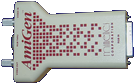
Oberseite

Werbung (DE)
1988-03
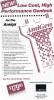
Werbung (US)
1988-03
Hersteller Elsat, Polen | Datum 1996 | Amiga jeder Amiga | Schnittstelle RGB-Port |
- Video-Mischer
- multifunktionaler Video-Mischer mit Effekt-, TBC- und Genlock-Funktionen
- vollständig digitale Videosignalverarbeitung
- Eingänge:
- 3× 4-pol. Mini-DIN Y/C-Video (S-VHS), 1 Vpp, 75 Ohm
- 6× RCA Composite-Video, 1 Vpp, 75 Ohm
- 1× 9-pol. RGB-Amiga-Signal
- 1× 9-pol. D-SUB RS-232 zur Steuerung
- Ausgänge:
- 1× 4-pol. Mini-DIN Y/C-Video (S-VHS), 1 Vpp, 75 Ohm
- 1× RCA Composite-Video, 1 Vpp, 75 Ohm
- Abtastung 4:2:2 gemäß CCIR601, 768 Pixel pro Zeile
- Signalcodierung: PAL-B/G, 4,43 MHz, 50 Hz, SQP
- Erweiterung bietet zwei Videokanäle: Kanal A und Kanal B mit jeweils unterschiedlichen Eigenschaften
- Kanal A:
- es kann nur eine von 4 Composite- oder 2 Y/C-Videoquellen ausgewählt werden
- RGB-Eingang kann als Quelle gewählt werden
- eingeschränkter Satz an Videoeffekten
- Kanal B:
- jede der 6 Composite- oder 3 Y/C-Videoquellen kann ausgewählt werden
- kein RGB-Eingang
- kompletter Satz an Videoeffekten
- Gerät ist mit einer Membrantastatur ausgestattet
- drei Schiebepotentiometer zur Steuerung von Effekten, Mix und Fade
- Helligkeit, Kontrast und Farbe getrennt für beide Kanäle einstellbar
- Effekte:
- CHROMA KEY (Blue Box) (A+B)
- LUMA KEY (A+B)
- BLACK - sofortiges Ausblenden auf Schwarz (A+B)
- INVERT CHROM - Farbinvertierung (A+B)
- MIX - Mischen der Signale von Kanal A und B (A+B)
- WIPE - abruptes Umschalten zwischen Kanal A und B (A+B)
- PAINT - Begrenzung der Anzahl der Luminanzstufen (A+B)
- FADE - Regelung des Ausgangssignalpegels; horizontale, vertikale und Eckblenden (A+B)
- PIP - Bild-in-Bild (auf 1/4 oder 1/9 verkleinert) (A+B)
- STILL - digitale Standbildfunktion (nur B)
- STROBE - Stroboskopeffekt mit 15 Geschwindigkeiten (nur B)
- SEPIA - Bildfärbung mit 8 Farben (nur B)
- BACKGROUND - Erzeugung einer Hintergrundfarbe mit 8 Farben (nur B)
- Erweiterung kann als Genlock mit den oben genannten Übergangseffekten verwendet werden
- Time-Base-Correction-Funktion zur Verbesserung der Bildqualität einer Videoquelle
- eingeschränkte Videoqualität bei Verwendung von Chroma Key mit Composite-Videoquellen
- Bildstörungen beim Umschalten von Signalquellen oder Ändern von Effekten, wodurch die Nutzbarkeit im professionellen Einsatz eingeschränkt ist
- alle Einstellungen, Funktionen und Effekte manuell oder digital über die RS-232-Schnittstelle mittels ARexx-Befehlen programmierbar (zusätzliche Software erforderlich)
- Standbild von Kanal B kann an den Amiga übertragen werden (Framegrabber-Funktion); erfordert zusätzliche Software und dauert ca. 2 Minuten pro Bild
- Abmessungen: 343×200×60 mm
- beleuchtetes LCD-Display (2×16 Zeichen)
- EPROM zur Speicherung aller Einstellungen
- externes Netzteil, Gerät benötigt 15-18 V, 1 A
- Erweiterung wurde mit einer Demonstrations-Videokassette (VHS) ausgeliefert

Vorderseite

Rückseite
- Arizona_VHS.zip
Kaseta Demonstracyjna / Demonstration Video Tape (polish)
152.6 MB
- Arizona-260d.dms
Install Disk
FG24 v2.60d, TeleText v1.52, ArizonaArexx v1.00
400 kB

Werbung (PL)
1996-09

Werbung (PL)
1997-09
Hersteller G2 Systems, UK | Datum 1991 | Amiga jeder Amiga | Schnittstelle RGB-Port, Parallel-Port |
Nur englische Beschreibung vorhanden:
- genlock
- a broadcast quality genlock in a 19" rack mount enclosure
- composite, Y/C, RGB and Y/Cr/Cb modes
- the function of the video input and output connectors (Keyer 1-3, 6× BNC, 2× mini-DIN) depend on the video mode selected on the front panel:
Keyer 1 Keyer 2 Keyer 3 CVBS/YC mode CVBS Y C RGB mode G R B Y/Cr/Cb mode Y Cr Cb - composite, Y/C and RGBS outputs of the Amiga signal (5× BNC, 1× mini-DIN) - all are constantly available regardless of the selected video mode
- the Y/C keyer BNC terminals are parallel with the 4 pin mini-DIN Y/C multipoles - both outputs should not be used simultaneously
- key output (a standard non-composite waveform) for use with a video mixer (1× BNC)
- reference input with loop connector (2× BNC)
- must be provided with a stable accurate reference - direct videotape signals are not suitable
- cross fade with external background signal
- crossfade, key and fade to black via sliders on a separate remote control
- background mode: colour zero is set to the overlay colour, video is seen through
- foreground mode: the colour to be made transparent is controlled by a rotary switch
- adjustable key colour, subcarrier and horizontal phase
- can be used to encode the RGB output of a genlocked Harlequin graphics card, but it is not possible to obtain a signal mixed or keyed over a background video source using the VC3 internal keyers
- software control via the parallel port
- separate PAL and NTSC models
- internal power supply
- optional RGB-Link board
- enables an external linear RGB signal to be processed the same way as the Amiga signal
- input the RGB-Link board is via a DB25 connector which replaces the Amiga software control port - the Amiga computer control facility is lost
- switching between Amiga and external RGB is provided by the manual/computer switch on the front panel
- VC3C variant
- provides all functions of the VC3 except for the 3 channels of keying
- if fitted, the following ports are not available for use:
- keyer inputs
- Amiga control port
- remote control port
- VC3B variant
- provides RGB, Sync and key outputs only
- if fitted, the following ports are not available for use:
- keyer inputs and outputs (3 channels)
- PAL and Y/C outputs
- Amiga control port
- remote control port
- if fitted, the following front panel controls are not available for use:
- RGB/CVBS/YCrCb switch
- 2 subcarrier phase controls
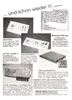
Werbung (DE)
1992-10
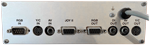
Hersteller Peter Biet Computerdesign, Deutschland | Datum 1992 | Amiga jeder Amiga | Schnittstelle Joystick-Port, RGB-Port |
- Genlock
- externes Genlock mit digitalem Signalprozessor und RGB-Splitter für Consumer und semiprofessionellen Einsatz, welches an den RGB- und Joystick-Port des Amigas angeschlossen wird
- phasenverkoppelter Farbträger
- integrierter RGB-Splitter zur Verbesserung der Videoqualität und zur Unterstützung von Video-Digitizern
- ermöglicht Farbkorrektur über Bedienelemente an der Frontplatte - Farbe, Kontrast und Helligkeit
- Effekte: Einblenden, Überlagern, invertiertes Überlagern - steuerbar über Bedienelemente an der Frontplatte, Effekte können automatisch ablaufen
- Eingänge:
- 1× Composite-Video, Cinch
- 1× Y/C-Video (S-VHS), Mini-DIN
- 1× 9-pol. RGB-Video
- 1× Joystick
- Verbindung zum Amiga erfolgt über ein abgeschirmtes RGB-Kabel mit einem Metallgehäuse, das eine Oszillatorplatine enthält
- Ausgänge:
- 1× Composite-Video, Cinch
- 1× Y/C-Video (S-VHS), Mini-DIN
- 1× 9-pol. RGB-Bypass zum Anschluss eines Monitors
- 1× Composite-Video für Digitizer (RGB-Splitter-Ausgang), Cinch
- Ausgänge sind gepuffert und können gleichzeitig verwendet werden
- Digitizer-Ausgang ermöglicht den Anschluss eines Slow-Scan-Video-Digitizers, der in 3 Durchgängen digitalisiert (Rot, Grün und Blau) - 3 LEDs zeigen den aktuellen Kanal an, die Umschaltung erfolgt autmatisch durch die Software über den Joystick-Port
- Schalter zum Deaktivieren des Interlace-Modus - das Bild wird flimmerfrei mit reduzierter Auflösung dargestellt
- 'Professional'-Version bietet einen zusätzlichen RGB-Bypass-Ausgang für einen Monitor, eine spezielle Synchronisationsschaltung auf der Oszillatorplatine für erhöhte Bildstabilität, eine erhöhte Bandbreite sowie zwei automatische Wipe-Effekte
- Composite-Video-Bandbreite beträgt 2.5 MHz, gemessene Y/C-Bandbreite 4 MHz
- bei der 'Professional'-Version ist die Bandbreite auf 3.5 MHz (Composite) bzw. 4.5 MHz (Y/C) erhöht
- Einschränkungen in der Video-Leistung: Schwarzwert erreicht nicht 0.3V, Blau- und Gelbpegel sind zu hoch
- Metallgehäuse
- integriertes 220V-Netzteil
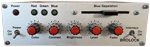
Vorderseite
Rückseite
Werbung (DE)
1992-01

Werbung (DE)
1992-12
Werbung (DE)
1993-02

Werbung (DE)
1993-05

Werbung (DE)
1994-02
Hersteller Lola Electronics, UK | Amiga jeder Amiga | Schnittstelle RGB-Port |
- Keine Beschreibung vorhanden.
Besitzt du diese Erweiterung, oder hast Informationen? Lass es uns gern wissen.
Werbung (GB)
1994-01
Hersteller MicroSearch, USA | Datum 1991 | Amiga jeder Amiga | Schnittstelle RGB-Port |
Nur englische Beschreibung vorhanden:
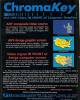
- combines live video over Amiga graphics
- composite input and output (2× BNC)
- connects to the RGB port between the Amiga and the genlock
- disable switch (Genlock / Chroma) - in Genlock position the video signal is passed through unaffected
- the Normal / Invert switch selects between blue background or subject-area dropout
- the keyed chroma level is adjustable by the slider
- external power supply
Werbung (US)
1991-04
Hersteller MicroSearch, USA | Datum 1992 | Amiga jeder Amiga | Schnittstelle RGB-Port |
Nur englische Beschreibung vorhanden:
- combines live video over other video sources
- composite input and output (2× BNC)
- Y/C input - selectable by a jumper inside the ChromaKey's box
- connects to the RGB port between the Amiga and the genlock or directly to a Video Toaster
- disable switch (Genlock / Chroma) - in Genlock position the video signal is passed through unaffected
- the Normal / Invert switch selects between blue background or subject-area dropout
- the keyed chroma level is adjustable by the slider
- gives Video Toaster users the choice between luma and chroma keying and is controlled completely from the Switcher
- procedure of operating with the Toaster:
- ChromaKey's video output goes into Toaster's Input 1 through a time base corrector
- the background video to be keyed over is connected to Input 2
- ChromaKey's key output is connected to either Input 3 or 4
- the switches and the slider is bypassed, the key effect is controlled by the Switcher
- in the Switcher set the Program Bus to Video 1, the Preview Bus to Video 2, and the Overlay Bus to Input 3 or 4 (where ChromaKey's key out is connected)
- select the Art Card effect and set the luminance key to white
- use the T-Bar to reveal the video background
- external power supply
- jumper settings
| J1 ON OFF | J2 OFF ON | - key color - red (R-Y) - blue (B-Y) |
| J3 1-2 2-3 | - key selection - chrominance part of Y/C - derived from composite |
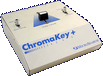
Gehäuse, Vorderseite
Gehäuse, linke Seite
Gehäuse, rechte Seite
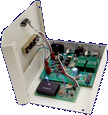
Gehäuse geöffnet, Vorderseite

Gehäuse geöffnet, Oberseite

Werbung (US)
1993-02
Hersteller JCL Business Systems, UK | Datum 1992 | Amiga jeder Amiga | Schnittstelle Parallel-Port |
- Echtzeit-Framegrabber
- größere Version des ColourPic mit erweitertem Speicher, zusätzlichen Schnittstellen und Software-Features
- digitalisiert Video in 64000 Farben in 1/50 Sekunde pro Videoframe bzw. 1/25 Sekunde bei Interlace-Modi (Echtzeit)
- unterstützte Auflösungen: Lo-Res, Interlace und Hi-Res
- 512kB interner Framebuffer als Standard
- interner Speicher kann bis 1 MB CMOS-SRAM erweitert werden (32k×8, ≤120ns) zur Untersützung von größeren Frames (Hi-Res, Interlace und Overscan in Kombination) und längeren Animationen
- speichert Dateien in HAM, EHB, 4 - 32 Farben oder monochrom (16 Graustufen)
- PAL- und NTSC-Versionen erhältlich
- Framespeicher kann zur Wiedergabe von Bildern mit 64k-Farben verwendet werden auf externen Monitoren oder Video-Equipment, indem diese in den Framebuffer hochgeladen werden (z.B. für 24Bit-Bilder)
- Regler für Helligkeit, Kontrast, Sättigung und NTSC-Farbton (Hue) - letzterer ist ohne Funktion bei PAL-Modellen
- Video-Eingänge an der Rückseite, wählbar mit Drehschalter:
- 1× FBAS-Videoeingang (Composite, BNC-Buchse)
- 1× SVHS-Eingang (Y/C, 4-pol. Mini-DIN)
- 1× Amiga-RGB
- Ausgänge an der Rückseite:
- 1× 8-pol. DIN-Anschluss zur kombinierten Ausgabe von RGB und FBAS (Composite)
- 1× Cinchbuchse für TV (UHF)
- RGB-Ausgang ist für Monitor-Passthrough, Video-Anzeige oder Framestore-Anzeige (umschaltbar in Software)
- Anschluss an den Parallelport des Amigas
- internes Netzteil
- ausgeliefert mit ColourPic-Software und, bei späteren Modellen, mit der erweiterten "Cabaret Plus"-Software, mit den folgenden zusätzlichen Features:
- verarbeitet 24Bit-Bilder (für Lo-Res-Modi)
- unterstützt Overscan
- Einstellungen von Bildparametern (z.B. Helligkeit, Farbe oder Farbbalance)
- Bildspiegelung
- Filter
- zusätzliche Filter wie z.B. Uniform, Kuwahara, Posterize, Median und Gamma
- Blending und Masking
- Sculpt-Schnittstelle
- Plotter-Unterstützung
Werbung (GB)
1992-06
Werbung (GB)
1992-11
Hersteller Peter Biet Computerdesign, Deutschland | Datum 1991 | Amiga jeder Amiga | Schnittstelle RGB-Port |
Nur englische Beschreibung vorhanden:
- genlock
- composite input and output (2× RCA)
- Y/C input and output (2× mini-DIN)
- transcoding between composite and Y/C
- the input source has to be selected manually by a switch
- colour adjustment knob for the incoming video signal
- brightness, contrast, red, green and blue adjustment knobs for the combined video signal
- keyed mode - colour zero is transparent, all others float above the live video backdrop
- inverse keyed mode - colour zero is solid, all other colours produce holes
- two sliders for independent fading of computer and video image, and for wipe effects
- vertical, horizontal and diagonal wipes
- timer knob for setting the duration of automatic effects - can be adjusted during effects for dynamic results
- colour bar generator
- blackburst generator for recording Amiga graphics without incoming video signal
- built in automatic color splitter for Deluxe View and DigiView Gold
- both can be installed internally or externally, to the internal or external DB25 parallel port
- the Digi-Gen has to be connected to the Amiga's parallel and joystick ports
- when the the digitizer is installed internally, the external DB25 port acts as a parallel passthrough port - the DI/PR switch selects between the digitizer and passthrough
- when installed outside, the digitizer is fed with composite video signal through the DI output connector (RCA)
- internal power supply
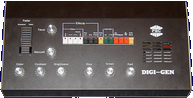
Oberseite
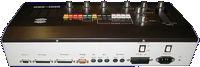
Rückseite
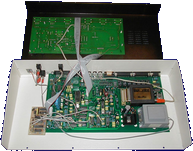
Gehäuse geöffnet, Oberseite
- DigiGen.pdf
Handbuch
246 kB
- DigiGen-1.dms
tool disk 1
302 kB - DigiGen-2.dms
tool disk 2
350 kB

Werbung (DE)
1990-08

Werbung (DE)
1990-12
Werbung (DE)
1991-10

Werbung (DE)
1992-01
Werbung (DE)
1992-03
Werbung (DE)
1992-12
Hersteller Peter Biet Computerdesign, Deutschland | Datum 1993 | Amiga jeder Amiga | Schnittstelle RGB-Port |
Nur englische Beschreibung vorhanden:
- genlock
- composite input, output and bypass (3× RCA)
- Y/C input, output and bypass (3× mini-DIN)
- two RGB inputs (for connecting two Amigas), one output and one bypass (4× DB9)
- transcoding between composite and Y/C
- the video and RGB sources have to be selected manually by switches
- brightness, contrast, colour, red, green and blue adjustment knobs
- keying, luma keyingt and inverse keying
- five sliders - level, fader, wipe, wipe with sound, luma key
- vertical, horizontal and diagonal wipes
- timer knob for setting the duration of automatic effects - can be adjusted during effects for dynamic results
- test pattern generator
- blackburst generator for recording Amiga graphics without incoming video signal
- built in automatic color splitter for Deluxe View and DigiView Gold digitizers
- the Digi-Gen II has to be connected to the Amiga's joystick ports
- the digitizer is fed with composite video signal through the DI output connector (RCA)
- PAL only
- internal power supply
- audio mixer
- two stereo inputs (4× RCA)
- microphone input
- stereo output (2× RCA)
- four level adjustment sliders for the three input channels and for the output
- DigiGen-1.dms
tool disk 1
302 kB - DigiGen-2.dms
tool disk 2
350 kB
Werbung (DE)
1993-05
Werbung (DE)
1994-02
Hersteller Videocomp, Deutschland | Datum 1991 / 1992 | Amiga jeder Amiga | Schnittstelle RGB-Port |
- Genlock
- DVE = Digital Video Effect
- Genlock, Digitizer und Multi-Effekt-Prozessor
- DVE-10P
- ausgeliefert mit Scala 500 Software
- kann über den seriellen Port von Scala aus komplett gesteuert werden
- unterstützt Rolltitel, Superimposing und andere Effekte
- zwei Videokanäle, ein Standard-Kanal zum Mischen, und ein Kanal für Bild-in-Bild (Picture-in-Picture, PIP)
- zwei Stereo-Audiokanäle
- einstellbare Videoparameter für Video- und Amiga-Signal: Helligkeit, Kontrast, Farbsättigung, Farbton, RGB
- manuell einstellbare Signalquelle (FBAS oder S-VHS), Bypass-Option und Delay-Einstellung für das Videosignal
- bei PIP-Videokanal kann nur Kontrast und Farbsättigung eingestellt werden
- unterstützt NTSC und PAL
- Einstellung und Menübedienung mit Jog Dial und zwei Menütasten
- PIP-Videokanal wird vor Anzeige digitalisiert
- Position des PIP kann mittels Joystick verschoben werden
- verschiedene Keying-Optionen: nur Video- oder Amiga-Signal, verschiedene Varianten für PIP-Anzeige (Vordergrund, Hintergrund etc.)
- vier Wipe-Effektmuster (horizontal, vertikal, kreisförmig, aus rechter unterer Ecke)
- Schieberegler für Fade-In des Video- und Amiga-Signal bzw. der Lautstärke des Audiosignals
- AUTO-Tasten für Audio- und Videoquellen steuern automatisches Fading mit einstellbarer Zeit
- Video-Eingänge: 2× Composite/FBAS (BNC-Buchse), 2× Y/C (S-VHS), Amiga RGB 15-pol.
- Video-Ausgänge: 2× Composite/FBAS (BNC-Buchse), 2× Y/C (S-VHS)
- Audio-Eingänge: 4× Cinch (zwei Stereo-Kanäle)
- Audio-Ausgänge: 4× Cinch (zwei Stereo-Kanäle)
- Digitizer
- eingebauter Digitizer DigiTiger für den Videokanal - eingestellte Videoparameter werden berücksichtigt
- Digitizer unterstützt alle Amiga-Auflösungen und Overscan
- S/W-Bilder werden in 5s, HAM-Bilder in 30 bis 50s digitalisiert
- Parallelport zur Übernahme der digitalisierten Bilder
- Bemerkungen
- zweizeiliges LCD für Menü- und Parameter-Anzeige
- 10 Speicher-Slots zum Abspeichern und Laden von Einstellungen
- spezielles Kabel nötig zum Anschluss des Amigas an das Genlock (23-polig auf 15-polig):
- am 23-pol. Stecker sind Pins 1, 11 und 12 mit einem 470Ohm-Widerstand in Serie mit Pins 2 + 13, sowie mit einem 330Ohm-Widerstand in Serie mit Pin 23 verbunden
- Pinbelegung:
| Amiga RGB Connector Pin |
Videocomp Input Connector Pin |
| 1 | 5 |
| 3 | 4 |
| 4 | 3 |
| 5 | 2 |
| 10 | 8 |
| 11 | 7 |
| 12 | 6 |
| 14 | 1 |
| 16 | 11 |
| 17 | 10 |
| 18 | 9 |
| 19 + 20 | 13 |
| 22 | 15 |
Werbung (DE)
1991-05
Hersteller Amitek, UK | Datum 1995 | Amiga jeder Amiga | Schnittstelle RGB-Port |
- Keine Beschreibung vorhanden.
Besitzt du diese Erweiterung, oder hast Informationen? Lass es uns gern wissen.
Werbung (GB)
1995-05
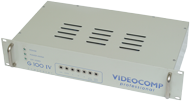
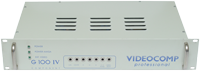
Hersteller Videocomp, Deutschland | Datum 1990 | Amiga jeder Amiga | Schnittstelle RGB-Port |
- Genlock
- professionelles Genlock in 19"-Gehäuse (2HE) für den Broadcast-Einsatz
- vier verschiedene Modell-Revisionen erhältlich, G-100 bis G-100 IV
- Video-Eingang: Amiga RGB, D-SUB 15-polig
- Video-Ausgänge: YUV, Y/C (S-VHS), Composite (FBAS), RGB
- zusätzliche Ein-/Ausgänge: Downstream Key (DSK) Out, Black Burst (BB) In, Alpha Out (nur bei den Modellrevisionen G100 III und IV)
- durchgeführter, 23.pol. RGB-Port zum Anschluss eines Monitors
- kein Überlagerung von Amiga- und Video-Signal, dafür wird ein zusätzlicher (externer) Video-Mixer benötigt
- 7 Potentiometer an der Frontplatte zum Einstellen des Videosignals: Luminance, Chroma, RGB, Subcarrier Phase, Horizontal Delay
- DIP-Schalter an der Rückseite:
- 2× Subcarrier Grobeinstellung
- 1× DSK Ausgangspegel 0.7Vpp oder 1.0Vpp
- 1× DSK positives oder negatives Keying
- 4× Timing-Verzögerung 280ns, 140ns, 70ns, 35ns oder Kombinationen (abhängig vom Kabel)
- internes Netzteil
- Bemerkungen
- spezielles Kabel nötig zum Anschluss des Amigas an das Genlock (23-polig auf 15-polig):
- am 23-pol. Stecker sind Pins 1, 11 und 12 mit einem 470Ohm-Widerstand in Serie mit Pins 2 + 13, sowie mit einem 330Ohm-Widerstand in Serie mit Pin 23 verbunden
- Pinbelegung:
| Amiga RGB Connector Pin |
Videocomp Input Connector Pin |
| 1 | 5 |
| 3 | 4 |
| 4 | 3 |
| 5 | 2 |
| 10 | 8 |
| 11 | 7 |
| 12 | 6 |
| 14 | 1 |
| 16 | 11 |
| 17 | 10 |
| 18 | 9 |
| 19 + 20 | 13 |
| 22 | 15 |
G-100 IV, Vorderseite
G-100 IV, Vorderseite
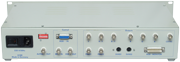
G-100 IV, Rückseite
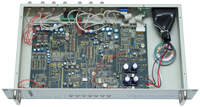
G-100 IV, Vorderseite
Hersteller Great Valley Products, USA | Datum 1992 | Amiga jeder Amiga | Schnittstelle RGB-Port |
Nur englische Beschreibung vorhanden:
- genlock and sound mixer
- switchable dual composite input - software switching between two separate composite input sources for fast cuts between video - or a single high quality Y/C input
- Composite to Y/C transcoder provides simultaneous composite, Y/C, and RGB outputs
- the RGB output can be switched to provide YUV output for professional recording equipment
- realtime ProcAmp controls allow adjustment of hue, saturation, brightness, contrast, sharpness, filtering, gain, and more
- SECAM to PAL conversion in VCR quality
- keyer modes include Amiga only, external video only, overlay, inverse overlay, and control of Amiga ECS and AGA special effects
- audio processor allows software switching and mixing control of two separate monaural audio sources, with full control over volume, treble, and bass
- can operate as an adjustable electronic RGB color splitter for direct use with the NewTek Digi-View or other slow-scan video digitizers
- works with the Display Enhancer and FlickerFreeVideo boards for simultaneous genlocked video and deinterlaced Amiga graphics output
- complete software control with full ARexx and CLI interfaces
- AmigaDOS 1.3, 2.x, 3.x compatible
- does not require separate power supply
- inputs:
- 2× Composite, RCA jacks
- 1× Y/C, mini-DIN
- 1× Component (RGB), DB25 (from Amiga DB23)
- 2× monoaural audio, RCA jacks
- 1× control (from Amiga DB9 joystick port)
- outputs:
- 1× Composite, RCA jacks
- 1× Y/C, mini-DIN
- 1× Component (RGB or YUV), DB23
- 1× monoaural audio, RCA jacks
- video input standards (user selectable):
- NTSC-M
- PAL-B/G/I
- SECAM-L/B/G/K
- video output standards (Amiga dependent):
- NTSC-M
- PAL-B/G/I
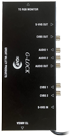
Vorderseite
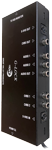
rechte Seite
- glocklc.dms
GVP-M
install disk
160 kB
Werbung (US)
1992-11
Werbung (DE)
1993-02
Werbung (US)
1993-03
Werbung (US)
1993-03
Werbung (FR)
1993-03
Werbung (DE)
1993-04
Werbung (FR)
1993-07
Werbung (US)
1993-11
Werbung (US)
1994-04
Werbung (US)
1998-05
Werbung (US)
1999-03
Hersteller Communications Specialties, USA | Datum 1988 | Amiga A500, A1000, A2000 | Schnittstelle RGB-Port |
Nur englische Beschreibung vorhanden:
- genlock
- composite input
- two composite (2× BNC), Y/C (2× BNC) and key (1× BNC) outputs
- sunc source can be selected between video and Amiga
- normal mode - colour zero is transparent, all others float above the live video backdrop
- reverse mode - colour zero is solid, all other colours produce holes
- no provision for fading Amiga graphics or video
- adjustable RGB levels of the incoming Amiga signal
- adjustable chrominance, luminance and composite gain of the outgoing video signal
- adjustable horizontal, vertical and subcarrier timing of the outgoing video signal
- comb filtering in the luminance channel
- requires factory modification if used with an Amiga having Fat Agnus
- external power supply

Hersteller G2 Systems, UK | Datum 1993 | Amiga jeder Amiga | Schnittstelle RGB-Port, Parallel-Port |
- Keine Beschreibung vorhanden.
Besitzt du diese Erweiterung, oder hast Informationen? Lass es uns gern wissen.

Werbung (GB)
1994-02
Hersteller Hama, Deutschland | Datum 1991 | Amiga jeder Amiga | Schnittstelle RGB-Port, Joystick-Port |
Nur englische Beschreibung vorhanden:
- genlock
- composite and Y/C inputs and outputs
- automatic input recognition with priority for the Y/C signal
- adjustable chroma, contrast, luminance and white level (separate red, green, blue) of video and computer picture
- built in automatic color splitter for Deluxe View and DigiView
- independent fading of the computer and video image
- mixing (lap dissolve) and fade to black
- inversion of mix functions (keyhole effect)
- Y/C to RGB conversion even without Amiga
- copy protection decoding
- intergrated blackburst generator permits recording without incoming video signal
- automatic switching to genlock mode at the presence of a video signal
- bypass switch permits direct comparison of original and processed picture - does not affect the output video
- monitor selector switch permits display of either the mixed picture or the Amiga picture
- compatible with the A3000's display enhancer
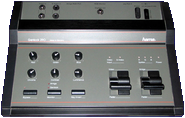
Oberseite
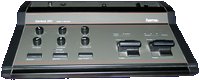
Vorderseite
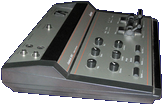
linke Seite
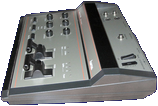
rechte Seite
Hersteller Hama, Deutschland | Datum 1993 | Amiga jeder Amiga | Schnittstelle RGB-Port |
Nur englische Beschreibung vorhanden:
- genlock
- composite and Y/C inputs and outputs (SCART connectors)
- manual input selection
- adjustable white level (separate red, green, blue) of the source video signal
- software controllable color splitter for digitisers
- compatible with the A3000's display enhancer
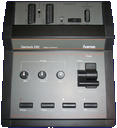
Oberseite
Hersteller MicroniK, Deutschland | Datum 1997 | Amiga jeder Amiga | Schnittstelle RGB-Port |
Nur englische Beschreibung vorhanden:
- genlock
- composite input and output
- color, contrast and luminance knobs for the source video signal
- separate Amiga and video fader knobs
- genlocked mode - colour zero is transparent, all others float above the live video backdrop
- inverse mode (keyhole effect) - colour zero is solid, all other colours produce holes
- DB9 connector for the SEG-200 special effects generator
- external power supply
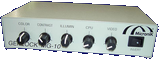
Vorderseite
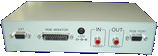
Rückseite
Werbung (DE)
1996-12
Hersteller MicroniK, Deutschland | Datum 1997 | Amiga jeder Amiga | Schnittstelle RGB-Port |
Nur englische Beschreibung vorhanden:
- genlock
- composite and Y/C inputs and outputs
- automatic input recognition with priority for the Y/C signal
- color, contrast and luminance knobs for the source video signal
- video signal enhancer
- R, G, B adjustment knobs for the Amiga signal
- separate Amiga and video fader knobs
- bypass switch: switches the display between genlock and computer picture - does not affect the video outputs
- alpha channel for transparent foregrounds
- genlocked mode - colour zero is transparent, all others float above the live video backdrop
- inverse mode (keyhole effect) - colour zero is solid, all other colours produce holes
- DB9 connector for the SEG-200 special effects generator
- external power supply
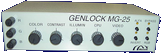
Vorderseite
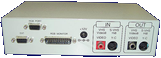
Rückseite
Werbung (DE)
1996-12
Hersteller New Hard & Soft, Spain | Datum 1989 | Amiga jeder Amiga | Schnittstelle RGB-Port |
- Genlock
- Composite-Ein- und Ausgang (2× Cinch)
- Anschluss an den RGB-Port des Amigas
- kein Netzteil, Stromversorgung über den RGB-Port
- 23-pol. RGB-Ausgang zum Anschluss eines Monitors
- zwei Schalter am Frontpanel zur Auswahl des Mixings und des Transparenzmodus
- Schalter Genlock-Modus (drei Stellungen):
- Computer: nur Amiga-Grafik, kein Mixing
- Superimpose: Mix von Amiga- und Videosignal
- External Video: nur Videosignal
- Schalter Transparenzmodus:
- Normal: Farbe 0 ist transparent, alle anderen Farben zeigen Amigabild
- Invert: nur Farbe 0 wird von der Amigagrafik dargestellt, alle anderen Farben sind transparent
- Power-LED
- die Platine ist praktisch identisch zum deutlich älteren Marcam Rendale A8802
- weisses Kunststoffgehäuse
Hersteller New Hard & Soft, Spain | Datum 1990 | Amiga jeder Amiga | Schnittstelle RGB-Port |
- Genlock
- Composite-Ein- und Ausgang (2× Cinch)
- Anschluss an den RGB-Port des Amigas
- 23-pol. RGB-Ausgang zum Anschluss eines Monitors
- Modus-Schalter wählt die Darstellung aus:
- Genlock-Modus - die Farbe 0 ist transparent, alle anderen stellen das Amiga-Signal über dem Video dar
- Amiga-Passthrough - nützlich, wenn nur Amiga-Grafik angezeigt werden soll
- Schalter zum Invertieren
- Fader-Potentiometer an der Front

Werbung (ES)
1990-09
Hersteller Spirit Technology, USA | Datum 1990 | Amiga jeder Amiga | Schnittstelle RGB-Port |
Nur englische Beschreibung vorhanden:
- genlock
- looping composite input (2× BNC)
- composite outputs (2× BNC)
- RGB output (3× BNC)
- key output (1× BNC)
- NTSC and PAL versions
- overlay fader with control selector
- genlock disable switch (Amiga passthrough)
- front panel can be remoted to 25 feet
- horizontal phase adjustable to source video
- selector for A500, A1000 and A2000 compliance
- SpiritTechnology-Brochure.pdf
Spirit Technology Brochure
530 kB
Werbung (US)
1989-12
Werbung (US)
1990-03
Werbung (US)
1990-03
Werbung (US)
1990-06
Werbung (US)
1990-12
Werbung (US)
1991-01
Hersteller Lola Electronics, UK | Datum 1993 | Amiga jeder Amiga | Schnittstelle RGB-Port |
- Genlock
- ermöglicht das Überlagern von Grafiken mit einem Composite-Videosignal
- verfügt über den Lola 1452-01 Custom Genlock Chip
- wandelt RGB in Composite-Video
- unterstützt nur den PAL-Standard
- Drucktasten ermöglichen die Auswahl des Modus: Key ein, Key aus und Bypass
- die Modusauswahl verwendet Frame-Intervall-Umschaltung, um die Moduswahl ohne Bildstörungen zu ermöglichen
- Schieberegler zur Steuerung des Überblendungsgrades
- LED-Anzeigen für den ausgewählten Modus und den Genlock-Status
- ohne Videoeingang schaltet das Gerät automatisch auf Grafikausgabe um – der Genlock kann daher als Encoder verwendet werden
- 23-poliger RGB-Ausgang für den Anschluss eines Monitors
- 15-poliger RGB-Grafikeingang (Anschluss an Amiga)
- 9-poliger Anschluss für Lola Chroma Key-Einheit
- 2× BNC-Anschluss für Composite-Ein- und Ausgang
- Tisch-Metallgehäuse
Werbung (GB)
1993-10
Werbung (GB)
1994-01
Werbung (GB)
1994-07
Werbung (GB)
1994-10
Hersteller Lola Electronics, UK | Datum 1995 | Amiga jeder Amiga | Schnittstelle RGB-Port |
- Genlock
- ermöglicht das Überlagern von Grafiken mit einem Composite-Videosignal
- verfügt über den Lola 1452-01 Custom Genlock Chip
- wandelt RGB in Composite-Video
- unterstützt nur den PAL-Standard
- Drucktasten ermöglichen die Auswahl des Modus: Key ein, Key aus und Bypass
- die Modusauswahl verwendet Frame-Intervall-Umschaltung, um die Moduswahl ohne Bildstörungen zu ermöglichen
- Schieberegler für Überblenden und Ausblenden
- LED-Anzeigen für den ausgewählten Modus und den Genlock-Status
- ohne Videoeingang schaltet das Gerät automatisch auf Grafikausgabe um – der Genlock kann daher als Encoder verwendet werden
- 23-poliger RGB-Ausgang für den Anschluss eines Monitors
- 15-poliger RGB-Grafikeingang (Anschluss an Amiga)
- 9-poliger Anschluss für Lola Chroma Key-Einheit
- 2× Cinch-Anschluss für Composite-Ein- und Ausgang
- Tisch-Metallgehäuse
Werbung (GB)
1995-01
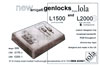
Hersteller Lola Electronics, UK | Datum 1995 | Amiga jeder Amiga | Schnittstelle RGB-Port |
- Genlock
- ermöglicht das Überlagern von Grafiken mit einem S-Video- oder Composite-Signal
- verfügt über den Lola 1452-01 Custom Genlock Chip
- unterstützt nur den PAL-Standard
- echte S-Video-Encoder- und Mixer-Schaltungen
- Drucktasten ermöglichen die Auswahl des Modus: Key ein, Key aus und Bypass
- die Modusauswahl verwendet Frame-Intervall-Umschaltung, um die Key-Auswahl ohne Bildstörungen zu ermöglichen
- Schieberegler für Überblenden und Ausblenden (Fade to Black)
- LED-Anzeigen für den ausgewählten Modus und den Genlock-Status
- S-Video-Auto-Sense – verwendet den S-Video-Eingang, wenn ein Signal vorhanden ist
- ohne Videoeingang schaltet das Gerät automatisch auf reine Grafikausgabe um – der Genlock kann daher als Encoder verwendet werden
- 23-poliger RGB-Ausgang für den Anschluss eines Monitors
- 15-poliger RGB-Grafikeingang (Anschluss an Amiga)
- 9-poliger DSUB-Anschluss für gemeinsame Stromversorgung/Chroma-Key-Eingang – zum Anschluss des Lola Chroma Key-Geräts oder des mitgelieferten externen Netzteils
- Pinbelegung des 9-poligen DSUB-Anschlusses:
- Pin 5: +15V DC
- Pin 8: GND
- Pin 9: -15V DC
- 2× BNC-Anschluss für Composite-Eingang und -Ausgang
- 2× Mini-DIN-Anschluss für S-Video-Eingang und -Ausgang
- Tisch-Metallgehäuse
Werbung (GB)
1995-01
Hersteller Lola Electronics, UK | Datum 1993 | Amiga jeder Amiga | Schnittstelle RGB-Port |
- Genlock
- verbesserte Variante des MiniGEN von Applied Systems Development
- unverändertes Gehäuse ohne Markenname
- Composite-Eingang und -Ausgang (2× RCA)
- wird direkt an den RGB-Port angeschlossen
- kein RGB-Passthrough-Anschluss
- Mixed Mode – Grafiken werden über das Video gelegt
- Picture Mode – zeigt nur externes Video an
- Graphics Mode – zeigt nur Grafiken an
- unterstützt im Gegensatz zum ursprünglichen MiniGEN Interlaced-Videomodi – Upgrade beim Hersteller erhältlich
Werbung (GB)
1993-10
Hersteller Newtronic Technologies, Italien | Datum 1992 | Amiga jeder Amiga | Schnittstelle RGB-Port |
Nur englische Beschreibung vorhanden:
- genlock
- composite and Y/C inputs and outputs
- the input has to be selected manually by a switch
- genlocked mode - colour zero is transparent, all others float above the live video backdrop
- inverse mode (keyhole effect) - colour zero is solid, all other colours produce holes
- Amiga passthrough mode - useful for recording Amiga graphics only
- RGB adjustment knobs for the incoming Amiga signal
- built in black burst generator for recording the computer image without receiving a video source
- metallic case
- external power supply

Werbung (IT)
1992-07
Hersteller Newtronic Technologies, Italien | Datum 1994 | Amiga jeder Amiga | Schnittstelle RGB-Port |
Nur englische Beschreibung vorhanden:
- genlock
- composite and Y/C inputs and outputs
- the input has to be selected manually by a switch
- connecting both Y/C and composite signals simultaneously to the genlock results in garbled output
- genlocked mode - colour zero is transparent, all others float above the live video backdrop
- crossfade mode - either Amiga or video is shown solid, which can be crossfaded with the fader knob
- inverse mode (keyhole effect) - colour zero is solid, all other colours produce holes
- saturation knob for on the fly b/w to colour transitions
- adjustable RGB levels of the incoming Amiga signal
- adjustable RGB levels, horizontal and vertical sync of the outgoing video signal
- no bypass circuit - the RGB monitor passthrough can only display the same image as is being sent via the video out
- metallic case
Hersteller Newtronic Technologies, Italien | Datum 1991 | Amiga jeder Amiga | Schnittstelle RGB-Port |
- Genlock
- Genlock für Composite-Video-Signale
- 4.7 MHz Bandbreite
- Composite-Eingang und -Ausgang: jeweils 1× Cinch-Buchse
- 23-poliger RGB-Eingang für das Amiga-Signal
- durchgeschliffener RGB-Port zum Anschluss eines Monitors
- alle Anschlüsse befinden sich auf der Rückseite
- verfügt über einen Stromanschluss, das Gerät wird jedoch über den Amiga (via RGB-Port) mit Strom versorgt
- Fader-Drehregler - der Überblendbereich ist begrenzt
- zwei Schalter zur Auswahl der Betriebsarten:
- Genlock-Modus - Farbe Null ist transparent, alle anderen Farben liegen über dem Live-Videohintergrund
- Invertierter Modus (Schlüsselloch-Effekt) - Farbe Null ist deckend, alle anderen Farben erzeugen Aussparungen
- Video-Durchschleifmodus - Amiga-Grafik wird ausgeblendet
- Amiga-Durchschleifmodus - nützlich zur Aufnahme ausschließlich von Amiga-Grafik
- das Umschalten der Schalter kann zu Synchronisationsverlust oder Farbverlust führen
- kann extremes Overscan nicht effektiv verarbeiten - die linke Seite des Amiga-Bildschirms überlappt das Videobild
- Kunststoffgehäuse - vernachlässigbare Abschirmung führt zu Störeinflüssen durch andere Videogeräte
- es gibt eine verbesserte Version mit S-VHS-Unterstützung, das Microgen Plus
Hersteller Newtronic Technologies, Italien | Datum 1992 | Amiga jeder Amiga | Schnittstelle RGB-Port |
- Genlock
- Genlock für Composite- und Y/C-Videosignale
- 5.5 MHz Bandbreite
- Ein- und Ausgänge: jeweils 1× Composite (Cinch) sowie jeweils 1× 4-poliger Mini-DIN für Y/C-Signale (S-VHS)
- 23-poliger RGB-Eingang für das Amiga-Signal
- durchgeschliffener RGB-Port zum Anschluss eines Monitors
- alle Anschlüsse befinden sich auf der Rückseite
- keine Signalwandlung zwischen den Signalen
- gleichzeitiger Anschluss von Y/C- und Composite-Signalen wird nicht unterstützt
- Fader-Drehregler - der Überblendbereich ist begrenzt
- zwei Schalter zur Auswahl der Betriebsarten:
- Genlock-Modus - Farbe Null ist transparent, alle anderen Farben liegen über dem Live-Videohintergrund
- Invertierter Modus (Schlüsselloch-Effekt) - Farbe Null ist deckend, alle anderen Farben erzeugen Aussparungen
- Video-Durchschleifmodus - Amiga-Grafik wird ausgeblendet
- Amiga-Durchschleifmodus - nützlich zur Aufnahme ausschließlich von Amiga-Grafik
- das Umschalten der Schalter kann zu Synchronisationsverlust oder Farbverlust führen
- kann extremes Overscan nicht effektiv verarbeiten - die linke Seite des Amiga-Bildschirms überlappt das Videobild
- Kunststoffgehäuse - vernachlässigbare Abschirmung führt zu Störeinflüssen durch andere Videogeräte
- Gentitler-Titelsoftware enthalten
- dieses Gerät ist eine verbesserte Version des originalen Microgen

Vorderseite
Werbung (IT)
1992-07
Werbung (IT)
1994-10
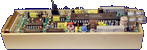
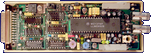
Hersteller Applied Systems Development, UK | Datum 1988 | Amiga jeder Amiga | Schnittstelle RGB-Port |
Nur englische Beschreibung vorhanden:
- genlock
- composite input and output (2× RCA)
- connects directly to the RGB port
- no RGB passthrough connector
- mixed mode - graphics overlayed on video
- picture mode - shows external video alone
- graphics mode - displays graphics only

Gehäuse, Rückseite

Gehäuse, Vorderseite
Gehäuse geöffnet, rechte Seite
Gehäuse geöffnet, Oberseite

Werbung (GB)
1993-03
Hersteller Electronic Design, Deutschland | Datum 1994 | Amiga jeder Amiga | Schnittstelle RGB-Port, serieller Port |
Nur englische Beschreibung vorhanden:
- genlock
- composite and Y/C inputs and outputs
- automatic input recognition with priority for the Y/C signal
- color, contrast and luminance knobs for the source video signal
- independent fading of the computer and video image
- fade to black
- manual fading - the faders serve to set the degree of blending
- automatic fading - the faders serve to set the fading time between 0.2 - 20 seconds
- RGB monitor switch: switches the display between genlock and computer picture without affecting the video outputs
- keying active switch: allows imposing the computer picture over a static video picture - when inactive the fader can be used to dissolve between full computer and video picture
- keying invert switch: when inactive, video is projected onto the computer image where color 0 is - when active, video is shown at positions other than color 0
- alpha overlay switch: allows semi-transparent colors or anti-aliasing
- built in black burst generator for recording the computer image without receiving a video source
- VITC timecode support
- all functions can be controlled by software through the serial port
- integrated ARexx port
- standby mode - when the genlock is not needed it is possible to work on the computer without disconnecting it - all Amiga screen modes are passed through to the RGB monitor
- for operation with the A3000's video enhancer, the "A3000" jumper has to be set on the Neptun's circuit board
- takes power from the RGB port, but can use an external power supply too
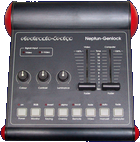
Oberseite
- Neptun.pdf
Operating Manual / Bedienungsanleitung (en/de)
16.7 MB
- Neptun.dms
install disk (genlock.library v2.2, Neptun Hotkey v2.2)
300 kB
Werbung (AU)
1994-06
Werbung (DE)
1995-12
Hersteller Electronic Design, Deutschland | Datum 1991 | Amiga jeder Amiga | Schnittstelle RGB-Port |
Nur englische Beschreibung vorhanden:
- genlock
- composite input and output
- color, contrast and luminance knobs for the source video signal
- fading and superimposing
- inverter switch: when off, video is projected onto the computer image where color 0 is - when set, video is shown at positions other than color 0
- built in blackburst generator - when no video source is connected, the genlock still can be used to record the computer image
- built in manual RGB splitter for monochrome digitisers
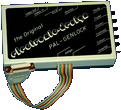
Oberseite
Werbung (DE)
1991-06
Werbung (DE)
1991-08
Werbung (DE)
1991-12
Werbung (DE)
1992-04
Werbung (DE)
1992-08
Werbung (AU)
1993-08
Hersteller Electronic Design, Deutschland | Datum 1996 | Amiga jeder Amiga | Schnittstelle RGB-Port |
Nur englische Beschreibung vorhanden:
- genlock
- composite and Y/C inputs and outputs
- automatic input recognition with priority for the Y/C signal
- color, contrast and luminance knobs for the source video signal
- RGB monitor switch: switches the display between genlock and computer picture - does not affect the video outputs
- keying active switch: allows imposing the computer picture over a static video picture - when inactive the fader can be used to dissolve between full computer and video picture
- keying invert switch: when inactive, video is projected onto the computer image where color 0 is - when active, video is shown at positions other than color 0
- internal blackburst generator - when no video source is connected, the genlock still can be used to record the computer image
- standby mode - when the genlock is not needed it is possible to work on the computer without disconnecting it - all Amiga screen modes are passed through to the RGB monitor
- for operation with the A3000's video enhancer, the "A3000" jumper has to be set on the Pluto's circuit board
- takes power from the RGB port, but can use an external power supply too
Hersteller Progressive Peripherals & Software, USA | Datum 1988 | Amiga jeder Amiga | Schnittstelle RGB-Port, Parallel-Port |
Nur englische Beschreibung vorhanden:
- genlock
- composite input and output (2× BNC)
- controlled by software through the parallel port
- Background mode - colour zero is transparent, all others float above the live video backdrop
- Foreground I mode - permits colours other than colour 0 to become transparent
- Foreground II mode - restores opaqueness to the colours used in Foreground I mode
- Video mode - shows external video alone
- Amiga mode - displays graphics only
Werbung (US)
1988-04
Werbung (US)
1988-06
Hersteller Elsat, Polen | Datum 1995 | Amiga jeder Amiga | Schnittstelle RGB-Port |
- Keine Beschreibung vorhanden.
Besitzt du diese Erweiterung, oder hast Informationen? Lass es uns gern wissen.
- ProGenPlus-140.lha
Tool Disk
ProGen+ v1.40 (30.07.1997)
14 kB
Werbung (PL)
1996-06
Hersteller Michael Lamm Computersysteme, Deutschland | Datum 1987 | Amiga jeder Amiga | Schnittstelle RGB-Port |
- Keine Beschreibung vorhanden.
Besitzt du diese Erweiterung, oder hast Informationen? Lass es uns gern wissen.

Werbung (DE)
1987-06
Hersteller Michael Lamm Computersysteme, Deutschland | Datum 1987,1988,1989 | Amiga jeder Amiga | Schnittstelle RGB-Port |
- Keine Beschreibung vorhanden.
Besitzt du diese Erweiterung, oder hast Informationen? Lass es uns gern wissen.
Werbung (DE)
1988-02
Werbung (DE)
1988-07

Werbung (DE)
1988-09

Werbung (DE)
1989-06

Werbung (DE)
1989-10
Hersteller Marcam, UK | Datum 1987 | Amiga jeder Amiga | Schnittstelle RGB-Port |
- Genlock
- Composite-Ein- und Ausgang (2× BNC)
- Anschluss an den RGB-Port des Amigas
- kein Netzteil, Stromversorgung über den RGB-Port
- 23-pol. RGB-Ausgang zum Anschluss eines Monitors
- 25-pol. Steuerkabel, zum Anschluss an den Parallelport des Amiga
- keine Schalter oder Regler, alles wird über die Software gesteuert
- 5 Genlock-Modi:
- Hintergrund-Modus: nur Farbe 0 ist transparent
- Video-Modus: nur Videosignal
- Amiga-Modus, nur Computersignal
- Modus Vordergrund 1 + Vordergrund 2: Transparenz bei R-, G-, B-Farbwert < 7
- eine praktisch identische Platine ist im neueren NHS GLK 8474 zu finden
- weisses Metallgehäuse

Werbung (GB)
1991-03
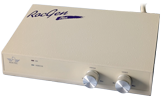
Hersteller Roctec, Hong Kong | Datum 1992 | Amiga jeder Amiga | Schnittstelle RGB-Port |
- Genlock
- Composite-Eingang, -Ausgang und -Passthrough (3× Cinch)
- RGB-Passthrough-Port
- Key-Eingang für die Chroma-Key-Einheit RocKey (Cinch)
- getrennte Amiga- und Video-Überblendregler für unterschiedliche Grade von Überlagerung oder Schlüsselloch-Effekt
- kann vom Amiga oder von einem externen 12V-Netzteil über Hohlstecker (Mittenkontakt negativ) mit Strom versorgt werden
Vorderseite
Werbung (DE)
1991-10

Werbung (US)
1992-01
Werbung (US)
1992-03
Werbung (GB)
1992-05

Werbung (AU)
1994-10
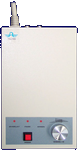
Hersteller Roctec, Hong Kong | Datum 1991 | Amiga jeder Amiga | Schnittstelle RGB-Port |
Nur englische Beschreibung vorhanden:
- genlock
- composite input and output
- no RGB passthrough connector
- dissolve knob
- operation modes:
- overlay - colour zero is transparent, all others float above the live video backdrop
- fade - Amiga graphics is faded over the video image with the dissolve knob
- Amiga - shows the computer image only
- can take power from the Amiga or from an external power supply
- PAL and NTSC versions
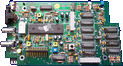
Platine, Vorderseite
Gehäuse, Oberseite

Gehäuse, Rückseite
- RocGen.dms
Demo Disk
16 kB
Werbung (US)
1991-01
Werbung (DE)
1991-03
Werbung (GB)
1992-05
Hersteller Roctec, Hong Kong | Datum 1992 | Amiga jeder Amiga | Schnittstelle RGB-Port |
- Chroma-Key-Einheit
- kombiniert Live-Video mit der Amiga-Grafik
- im Grunde ein RGB-Splitter, der in Verbindung mit einem Genlock verwendet werden soll - vorgesehen für RocGen Plus
- Composite/FBAS-Eingang, -Passthrough und -Ausgang (3× Cinch)
- Key-Eingang und -Ausgang (2× Cinch)
- Splitter-Ausgang (1× Cinch), kann für Monochrom-Digitizer verwendet werden, um Farbbilder in 3 Durchgängen zu erfassen
- wird an den RGB-Port zwischen dem Genlock und dem Monitor angeschlossen, wobei der Genlock in den Amiga-RGB-Port eingesteckt wird
- der "Inverse"-Schalter wählt zwischen Hintergrund- und Motivausblendung
- drei Farbfader, jeder mit Aktivierungstaste und Status-LED
- "Splitter"-Schalter
- 3 Effekteinstellungen über "Effects"-Taste
- externes Netzteil
- Liste der Effekte
| Video Effect | Chroma | Color | Inverse | Effects |
| Chroma Keying | ON | ON | OFF | OFF |
| Luma Keying | ON | OFF | OFF | OFF |
| Key Sandwich | ON | ON | ON | OFF |
| Overlay | ON | ON | ON | Red LED |
| Graphic Sandwich | ON | ON | OFF | Red LED |
| Graphic Window | ON | ON | OFF | Orange LED |
| Key Window | ON | ON | ON | Orange LED |
| Graphics Label | ON | ON | OFF | Green LED |
| Key Through | ON | ON | ON | Green LED |
Werbung (US)
1992-03
Werbung (GB)
1992-05
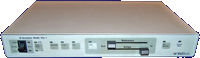
Hersteller VidTech, USA | Datum 1990 | Amiga jeder Amiga | Schnittstelle RGB-Port |
Nur englische Beschreibung vorhanden:
- genlock
- looping composite input (2× BNC)
- looping Y/C input (2× mini-DIN)
- composite outputs (2× BNC)
- Y/C outputs (2× mini-DIN)
- the input source has to be selected manually on the front panel
- transcoding between composite and Y/C
- dissolve to any Amiga graphics / input video combination
- key output for video mixers (1× BNC)
- separate NTSC and PAL versions
- bypass switch
- optional external power supply (required for A500) - power source can be selected on the front panel
Vorderseite
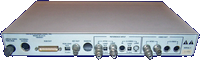
Rückseite
- Scanlock.pdf
Owners Manual
9.7 MB
Werbung (US)
1989-04
Werbung (US)
1990-07
Werbung (AU)
1990-10
Hersteller Electronic Design, Deutschland | Datum 1991 | Amiga jeder Amiga | Schnittstelle RGB-Port, Joystick-Port |
Nur englische Beschreibung vorhanden:
- Sirius is a name variation of the Hama Genlock 290
- the only difference is the blue casing
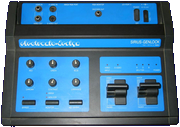
Oberseite
Werbung (DE)
1991-11
Werbung (DE)
1991-12
Werbung (DE)
1992-08
Werbung (DE)
1993-07
Werbung (AU)
1993-08
Werbung (AU)
1993-10
Werbung (AU)
1994-02
Hersteller Electronic Design, Deutschland | Datum 1995 | Amiga jeder Amiga | Schnittstelle RGB-Port, serieller Port |
Nur englische Beschreibung vorhanden:
- genlock
- composite and Y/C inputs and outputs
- automatic input recognition with priority for the Y/C signal
- adjustable color, contrast, luminance and white level (separate red, green, blue) of the source video signal
- adjustable black level of the computer image
- picture parameters can be stored and recalled
- independent fading of the computer and video image
- fade to black
- manual fading - the faders serve to set the degree of blending
- automatic fading - the faders serve to set the fading time between 0.2 - 20 seconds
- RGB monitor switch: switches the display between genlock and computer picture without affecting the video outputs
- bluebox keying switch: turns on Chroma and Luma keying - finds a specific color with a certain tolerance (to compensate for noise) in the video picture for keying
- keying invert switch: when inactive, video is projected onto the computer image where color 0 is - when active, video is shown at positions other than color 0
- alpha overlay switch: allows semi-transparent colors or anti-aliasing
- built in black burst generator for recording the computer image without receiving a video source
- built in test image generator for optimized adjustment of all image parameters
- sound mixer
- two stereo inputs (4× RCA)
- microphone input (1× 3.5 mm jack)
- stereo output (2× RCA)
- microphone volume adjustment knob
- faders control the volume of the two audio channels
- during automatic fading the video and audio faders can be synchronized
- adjustable treble, bass and gain for all three audio sources independently
- notes
- LCD display for picture and audio parameters and values
- VITC timecode support
- all functions can be controlled through the serial port
- integrated ARexx port
- standby mode - when the genlock is not needed it is possible to work on the computer without disconnecting it - all Amiga screen modes are passed through to the RGB monitor
- for operation with the A3000's video enhancer, the "A3000" jumper has to be set on the Sirius' circuit board
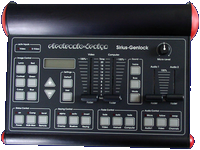
Hersteller Digital Creations / Progressive Image Technology, USA | Datum 1988 | Amiga jeder Amiga | Schnittstelle RGB-Port |
Nur englische Beschreibung vorhanden:
- external genlock and video encoder
- genlocks to external NTSC video
- encodes Amiga RGB into NTSC video
- overlays Amiga graphics onto external NTSC video
- selectable 3.58 MHz notch filter
- 64 levels of dissolve
- selectable internal and external blanking source
- connectors
- RGB In - receives the RGB output from the Amiga
- RGB Pass Thru (DB25 converted to DB23) - display Amiga graphics on an RGB monitor
- Key Out (BNC) - key signal for video switcher, tells when Amiga colour 0 is present or not
- Video In (BNC) - source video from VTR, sync-generator, etc.
- Video Thru (BNC) - untouched signal from Video In
- Video Out (2× BNC) - combined output of input video and the encoded Amiga graphics
- controls
- graphics dissolve slider - controls the percentage of foreground graphics against external video
- background dissolve slider - controls the percentage of background colour against external video
- interpretive dissolve switch - controls whether or not the darkness of an Amiga colour is to be interpreted as a level of dissolve
- notch filter switch - removes colour artifacts or some forms of flicker
Werbung (US)
1989-01
Werbung (US)
1990-02
Werbung (US)
1991-07
Werbung (US)
1993-04
Werbung (US)
1993-09
Hersteller Digital Creations / Progressive Image Technology, USA | Datum 1994 | Amiga jeder Amiga | Schnittstelle RGB-Port |
Nur englische Beschreibung vorhanden:
- external genlock and video encoder
- genlocks to Y/C or Composite video
- encodes Amiga RGB into Y/C or Composite video
- overlays Amiga graphics onto external Y/C or Composite video
- transcodes between Y/C and Composite
- selectable 3.58 MHz notch filter
- computer controllable dissolve of 64 levels
- selectable internal and external blanking source
- AGA compatible
- NTSC only
- connectors
- RGB In - receives the RGB output from the Amiga
- RGB Out - display Amiga graphics on an RGB monitor
- Key Out (BNC) - key signal for video switcher, tells when Amiga colour 0 is present or not
- Composite In (BNC), S-Video In - source video from VTR, sync-generator, etc.
- Composite Out (BNC), S-Video Out - combined output of input video and the encoded Amiga graphics
- Remote controller (RJ-11)
- controls
- graphics dissolve slider - controls the percentage of foreground graphics against external video
- background dissolve slider - controls the percentage of background colour against external video
- S-Video select switch - toggles between S-Video and Composite inputs
- genlock disable switch for productivity mode use
- interpretive dissolve switch - controls whether or not the darkness of an Amiga colour is to be interpreted as a level of dissolve
- notch filter switch - removes colour artifacts or some forms of flicker
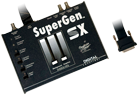
Oberseite

Rückseite
Werbung (US)
1993-09
Werbung (US)
1993-11
Werbung (US)
1994-07
Werbung (US)
1995-01
Hersteller Michael Lamm Computersysteme, Deutschland | Datum 1988 | Amiga jeder Amiga | Schnittstelle RGB-Port |
- Genlock
- ein professionelles Genlock in Studioqualität in einem 19" 1U Rackmount-Gehäuse
- vorgesehen für 3/4" U-matic Bandformat (High Band / Low Band), VHS, SuperBeta, Video 8 und andere
- Video-Eingang und -Ausgang (2× BNC)
- RGB-Monitorausgang (1× DB23)
- Anschluss an den Amiga über ein fest angebrachtes RGB-Kabel mit externer RGB-Platine
- grüne 'Sync' LED zeigt das Vorhandensein eines Videosignals an
- rote 'Color' LED zeigt die Verriegelung des PAL-Modulators an (Vorhandensein eines Farbsignals)
- Superimpose- (Blue Box) und Crossfade-Regler an der Frontblende
- Invert-Schalter für den Superimpose-Effekt
- keine Farbregler
- integriertes Netzteil
Werbung (DE)
1988-02
Werbung (DE)
1988-07
Hersteller Michael Lamm Computersysteme, Deutschland | Datum 1988 | Amiga jeder Amiga | Schnittstelle RGB-Port |
- Keine Beschreibung vorhanden.
Besitzt du diese Erweiterung, oder hast Informationen? Lass es uns gern wissen.
Werbung (DE)
1988-02
Werbung (DE)
1988-07
Hersteller Videocomp, Deutschland | Datum 1988 | Amiga jeder Amiga | Schnittstelle RGB-Port |
- Genlock
- professionelles Genlock in 19"-Gehäuse (2HE) für den Broadcast-Einsatz
- integrierter RGB-Prozessor und Video-Mischer
- bandwidth ≥ 5.5 MHz
- 2× FBAS-Videoeingänge (BNC-Buchse)
- 2× FBAS-Videoausgang (BNC-Buchse)
- 23-pol. RGB-Buchse für das Amiga-Signal, intern an der Platine angeschlossen und über Flachbandkabel durch das Gehäuse nach aussen geführt
- manuelles und automatisches Fading über Knöpfe an der Frontblende
- AUTO-Taster zum Starten Fade-In oder -Out, mit LED-Anzeige
- Einstellung der Fade-Zeit über Regler an der Frontblende
- Einstellung der Videoparameter Rot, Grün, Blau, Kontrast und Helligket über Regler an der Frontplatte
- einstellbare Contour Control (links/rechts) für flimmerfreies Keying
- durchgeführter, 23.pol. RGB-Port zum Anschluss eines Monitors
- externes Netzteil
Werbung (DE)
1989-04
Hersteller Videocomp, Deutschland | Datum 1989 | Amiga jeder Amiga | Schnittstelle RGB-Port |
- Genlock
- professionelles Genlock in 19"-Gehäuse (2HE) mit RGB-Prozessor für den Broadcast-Einsatz
- einstellbare Bandbreite 7.5/5.5 MHz (Umschaltung über DIP-Switch)
- integrierter Video-Mischer
- interner Taktgenerator
- einstellbare Videoverzögerung in 16 Stufen
- 5 Regler an der Frontplatte zum Einstellen des Videosignals
- einstellbare Contour Control für flimmerfreies Keying
- integrierter Black-Burst-Generator
- Gerät kann in versch. Rollen verwendet werden: als Videomischer, Schnittplatz oder als Broadcast-Encoder
- Eingänge:
- 1× Amiga RGB, 23-pin D-SUB
- 1× Composite Video, BNC
- Ausgänge:
- jeweils 1× Rot, Grün, Blau, C-Sync, BNC
- 1× Y/C (S-VHS)
- 2× Composite synchronisiert, BNC
- 2× Composite vom Mixer, BNC
- 1× Composite durchgeführtes Video, BNC
- 1× Downstream Key (DSK), BNC
- 1× durchgeführter, 23.pol. RGB-Port zum Anschluss eines Monitors
- Spezifikation Composite-Signal: 1 Vpp, 75 Ohm
- Spezifikation DSK-Signal: 0.7 Vpp, 75 Ohm
- Fernbedienung ist Standardzubehör, mit Fader zum Mischen des Videosignals (manuell oder automatisch mit einstellbarer Zeit) und mit Einstellung Contour Control
- internes Netzteil
Werbung (DE)
1989-04

Werbung (DE)
1989-05
Hersteller Michael Lamm Computersysteme, Deutschland | Datum 1988 | Amiga jeder Amiga | Schnittstelle RGB-Port |
- Genlock
- ein professionelles Genlock in Broadcast-Qualität in einem 19" 1U Rackmount-Gehäuse
- vorgesehen für 1"-Bandformat, Betacam und Umatic BVU
- verbesserte Version des VCG Series Studio Genlock mit höherer Bandbreite und besserem Signal-Rausch-Abstand, was zu besserer Videoqualität führt
- erfüllt 1"- und EBU-Spezifikationen
- Videobandbreite: 6.5 MHz
- Bild-Rauschabstand: >82 dB
- VTR-Schaltung zur Videostabilisierung
- Video-Eingang, -Ausgang und -Vorschau (3× BNC)
- RGB-Eingang und Monitor-Anschluss (2× DB23)
- externer Blackburst-Eingang (1× BNC)
- separater DSK-Ausgang (1× BNC)
- 3 Status-LEDs an der Frontblende:
- grüne 'Sync' LED zeigt das Vorhandensein eines Videosignals an
- rote 'Color' LED zeigt die Verriegelung des PAL-Modulators an (Vorhandensein eines Farbsignals)
- gelbe 'Remote' LED leuchtet bei angeschlossener Fernbedienung
- Superimpose- (Blue Box) und Crossfade-Regler an der Frontblende
- Invert-Schalter für den Superimpose-Effekt
- 12-stufige Phaseneinstellung mit 400-Grad-Regelbereich
- einstellbare H/SC-Phase, Signalverzögerung sowie Video- / Farbsignalpegel
- Genlock besitzt keine Farbregler zur Vermeidung von qualitätsmindernden Effekten
- integriertes Netzteil
- 8-poliger Fernbedienungsanschluss, bei Nichtbenutzung muss ein Blindstecker eingesetzt werden
- nur PAL wird unterstützt (kein NTSC)
- als Teil der VCG Serie bietet das VCG Series Component Genlock S-VHS-Unterstützung mit besserer Videoqualität
- VCG Series Remote Control
- wird an den 8-poligen Fernbedienungsanschluss des Genlocks angeschlossen und bietet folgende Funktionen:
- automatisches Fading
- automatisches Superimpose
- stufenlos einstellbare Crossfade-Geschwindigkeit
- manuelles Fading / Superimpose über Tasten
- Superimpose-Invert-Taste
- Multifunktions-LED-Anzeige
- VCG-Series.pdf
Bedienungshandbuch / User Manual (german)
6.4 MB
Werbung (DE)
1988-09
Werbung (DE)
1989-06
Werbung (DE)
1989-10
Werbung (DE)
1989-10
Hersteller Michael Lamm Computersysteme, Deutschland | Datum 1989 | Amiga jeder Amiga | Schnittstelle RGB-Port |
- Genlock
- ein professionelles Genlock in Broadcast-Qualität in einem 19" 1U Rackmount-Gehäuse
- vorgesehen für Schnittplätze mit Betacam-SP und S-VHS (Y/C)
- verbesserte Version des VCG Series Broadcast Genlock mit höherer Bandbreite und besserem Signal-Rausch-Verhältnis, was zu besserer Videoqualität führt
- kompatibel zu BR-S610/810, HR-S5000, GR-S77 usw.
- Videobandbreite: 6.2 MHz Standard, 8.0 MHz S-VHS
- Bild-Rauschabstand: >77 dB Standard, >86 dB S-VHS
- VTR-Schaltung zur Videostabilisierung
- Video-Eingang, -Ausgang und -Vorschau (3× BNC)
- BNC-Anschlüsse für S-VHS Video (Eingang und Ausgang)
- RGB-Eingang und Monitor-Anschluss (2× DB23)
- 3 Status-LEDs an der Frontblende:
- grüne 'Sync' LED zeigt das Vorhandensein eines Videosignals an
- rote 'Color' LED zeigt die Verriegelung des PAL-Modulators an (Vorhandensein eines Farbsignals)
- gelbe 'Remote' LED leuchtet bei angeschlossener Fernbedienung
- Superimpose- (Blue Box) und Crossfade-Regler an der Frontblende
- Invert-Schalter für den Superimpose-Effekt
- Genlock besitzt keine Farbregler zur Vermeidung von qualitätsmindernden Effekten
- integriertes Netzteil
- 8-poliger Fernbedienungsanschluss, bei Nichtbenutzung muss ein Blindstecker eingesetzt werden
- nur PAL wird unterstützt (kein NTSC)
- das VCG Series Studio Genlock ist Teil der Genlock-Serie für reduzierte Studioanforderungen
- VCG Series Remote Control
- wird an den 8-poligen Fernbedienungsanschluss des Genlocks angeschlossen und bietet folgende Funktionen:
- automatisches Fading
- automatisches Superimpose
- stufenlos einstellbare Crossfade-Geschwindigkeit
- manuelles Fading / Superimpose über Tasten
- Superimpose-Invert-Taste
- Multifunktions-LED-Anzeige
- VCG-Series.pdf
Bedienungshandbuch / User Manual (german)
6.4 MB
Werbung (DE)
1989-06
Werbung (DE)
1989-10
Werbung (DE)
1989-10
Hersteller Michael Lamm Computersysteme, Deutschland | Datum 1988 | Amiga jeder Amiga | Schnittstelle RGB-Port |
- Genlock
- ein professionelles Genlock in Studioqualität in einem 19" 1U Rackmount-Gehäuse
- vorgesehen für 3/4" U-matic Bandformat (High Band / Low Band), VHS, SuperBeta, Video 8 und andere
- Videobandbreite: 6.2 MHz
- Bild-Rauschabstand: >77 dB
- VTR-Schaltung zur Videostabilisierung
- Video-Eingang, -Ausgang und -Vorschau (3× BNC)
- RGB-Eingang und Monitor-Anschluss (2× DB23)
- 3 Status-LEDs an der Frontblende:
- grüne 'Sync' LED zeigt das Vorhandensein eines Videosignals an
- rote 'Color' LED zeigt die Verriegelung des PAL-Modulators an (Vorhandensein eines Farbsignals)
- gelbe 'Remote' LED leuchtet bei angeschlossener Fernbedienung
- Superimpose- (Blue Box) und Crossfade-Regler an der Frontblende
- Invert-Schalter für den Superimpose-Effekt
- Genlock besitzt keine Farbregler zur Vermeidung von qualitätsmindernden Effekten
- integriertes Netzteil
- 8-poliger Fernbedienungsanschluss, bei Nichtbenutzung muss ein Blindstecker eingesetzt werden
- nur PAL wird unterstützt (kein NTSC)
- andere Genlocks der VCG Series, VCG Series Broadcast Genlock und VCG Series Component Genlock, bieten mehr Funktionen und bessere Videoqualität
- VCG Series Remote Control
- wird an den 8-poligen Fernbedienungsanschluss des Genlocks angeschlossen und bietet folgende Funktionen:
- automatisches Fading
- automatisches Superimpose
- stufenlos einstellbare Crossfade-Geschwindigkeit
- manuelles Fading / Superimpose über Tasten
- Superimpose-Invert-Taste
- Multifunktions-LED-Anzeige
- VCG-Series.pdf
Bedienungshandbuch / User Manual (german)
6.4 MB
Werbung (DE)
1988-09
Werbung (DE)
1989-06
Werbung (DE)
1989-10
Werbung (DE)
1989-10
Hersteller Videocomp, Deutschland | Datum 1989 | Amiga jeder Amiga | Schnittstelle RGB-Port |
- Genlock
- VES = Video Effect System
- bietet mehrere Videofunktionen in einem Gerät: Genlock, Titelgenerator, Videomixer und Videodigitizer
- enthält den NewTek Digi-View Gold zum Digitalisieren, ein automatischer vorgeschalteter RGB-Splitter verbessert die Bildqualität
- Regler für Helligkeit, Kontrast und Farbsättigung, diese beinflussen das Videosignal
- beim Amiga-Signal gibt es nur Regler für Helligkeit und Kontrast, keine Farbanpassung möglich
- stellt verschiedene Keying- und Effekt-Optionen ur Verfügung
- "Hard"-Keying
- Schalter zum Invertieren des Keyings: wenn inaktiv, wird Video an Stelle der Farbe 0 des Amiga-Bilds gezeigt, im invertierten Modus wird das Video bei allen Farben ausser 0 gezeigt
- drei Wipe-Effektmuster (horizontal, vertikal, kreisförmig), auch in Kombination - Einstellung über den WIPE-Schieberegler
- Effekte werden nur auf das Amiga-Signal angewendet
- MIX-Schieberegler für Fade-In des Amiga-Signals
- sowohl WIPE- als auch MIX-Effekte können auch programmiert (Zeit bis 10s) und manuell gestartet werden
- Video-Eingänge: 1× Composite/FBAS (BNC-Buchse), 1× Y/C (S-VHS), Amiga RGB D-SUB 15-pol.
- Video-Ausgänge: 2× Composite/FBAS (BNC-Buchse), 2× Y/C (S-VHS)
- separater Schalter zum Aktivieren der S-VHS-Ein-/Ausgänge
- 25-pol. Parallelport und 9-pol. Game-Port für die Digitalisierungsfunktion
- 23pol. RGB-Ausgang für Monitor
- Titelgenerator-Software Videopage im Lieferumfang
- Bemerkungen
- spezielles Kabel nötig zum Anschluss des Amigas an das Genlock (23-polig auf 15-polig):
- am 23-pol. Stecker sind Pins 1, 11 und 12 mit einem 470Ohm-Widerstand in Serie mit Pins 2 + 13, sowie mit einem 330Ohm-Widerstand in Serie mit Pin 23 verbunden
- Pinbelegung:
| Amiga RGB Connector Pin |
Videocomp Input Connector Pin |
| 1 | 5 |
| 3 | 4 |
| 4 | 3 |
| 5 | 2 |
| 10 | 8 |
| 11 | 7 |
| 12 | 6 |
| 14 | 1 |
| 16 | 11 |
| 17 | 10 |
| 18 | 9 |
| 19 + 20 | 13 |
| 22 | 15 |
Werbung (DE)
1989-11
Werbung (DE)
1990-07
Hersteller Videocomp, Deutschland | Datum 1990 | Amiga jeder Amiga | Schnittstelle RGB-Port |
- Genlock
- VES = Video Effect System
- kostenreduzierte Variante des VES One ohne Digitalisierungsfunktion und Titelgenerator-Software Videopage
- bietet mehrere Videofunktionen in einem Gerät: Genlock, Videomixer und RGB-Splitter
- Regler für Helligkeit, Kontrast und Farbsättigung, diese beinflussen das Videosignal
- beim Amiga-Signal gibt es nur Regler für Helligkeit und Kontrast, keine Farbanpassung möglich
- stellt verschiedene Keying- und Effekt-Optionen ur Verfügung
- "Hard"-Keying
- Schalter zum Invertieren des Keyings: wenn inaktiv, wird Video an Stelle der Farbe 0 des Amiga-Bilds gezeigt, im invertierten Modus wird das Video bei allen Farben ausser 0 gezeigt
- drei Wipe-Effektmuster (horizontal, vertikal, kreisförmig), auch in Kombination - Einstellung über den WIPE-Schieberegler
- Effekte werden nur auf das Amiga-Signal angewendet
- MIX-Schieberegler für Fade-In des Amiga-Signals
- sowohl WIPE- als auch MIX-Effekte können auch programmiert (Zeit bis 10s) und manuell gestartet werden
- Video-Eingänge: 1× Composite/FBAS (BNC-Buchse), 1× Y/C (S-VHS), Amiga RGB D-SUB 15-pol.
- Video-Ausgänge: 2× Composite/FBAS (BNC-Buchse), 2× Y/C (S-VHS)
- separater Schalter zum Aktivieren der S-VHS-Ein-/Ausgänge
- RGB-Splitter 1× Cinch-Ausgang, gedacht für den Digitizer Digi-View Gold
- 9-pol. Game-Port
- 23pol. RGB-Ausgang für Monitor
- Bemerkungen
- spezielles Kabel nötig zum Anschluss des Amigas an das Genlock (23-polig auf 15-polig):
- am 23-pol. Stecker sind Pins 1, 11 und 12 mit einem 470Ohm-Widerstand in Serie mit Pins 2 + 13, sowie mit einem 330Ohm-Widerstand in Serie mit Pin 23 verbunden
- Pinbelegung:
| Amiga RGB Connector Pin |
Videocomp Input Connector Pin |
| 1 | 5 |
| 3 | 4 |
| 4 | 3 |
| 5 | 2 |
| 10 | 8 |
| 11 | 7 |
| 12 | 6 |
| 14 | 1 |
| 16 | 11 |
| 17 | 10 |
| 18 | 9 |
| 19 + 20 | 13 |
| 22 | 15 |
Werbung (DE)
1990-07
Hersteller Progressive Peripherals & Software, USA | Datum 1991 | Amiga jeder Amiga | Schnittstelle RGB-Port |
Nur englische Beschreibung vorhanden:
- genlock, switcher
- a professional video switching system featuring luma-keying, genlocking, local 24 bit colour generation, video fading/wiping and stereo audio mixer
- four channels: composite video in with passthrough, externally synchronized RGB in, Amiga RGB in, and the internal colour generator for background color
- hue, saturation and contrast control is provided on the front panel
- connects to any Amiga (including the A1000) through the RGB port
- controlled through the serial port
- RGB out port (DB23, for Amiga graphics)
- stereo audio out (2× RCA)
- two stereo audio input channels (4× RCA)
- composite video: 1× in, 2× out, 1× passthrough (BNC)
- RGB in (3× BNC)
- does not require time-base corrected inputs
- available in PAL and NTSC
- features
- genlocking:
- overlay Amiga graphics onto any video source or onto a solid one-colour screen
- four genlock modes: foreground, inverted, mixed and encoded
- notch filter and fade capability gives a wide range of genlocking options and effects
- the Video Blender software does not need to be active during the genlocking process
- fading:
- fade between any two sources
- smooth fading from 0 to 10 seconds in increments as small as 40 ms
- supported in all genlock modes, including luma-keying
- fully programmable and sequenceable with other events
- mixing:
- mix any two video sources for ghost, double exposure or tinting effects
- mix delay can be set from 0 to 10 seconds in increments as small as 40 ms
- switching:
- switch between any two of Video Blenders four channels
- switching is instantaneous and flicker-free, and is fully programmable and sequenceable with other events
- keying:
- key between any two of Video Blenders four channels for effects such as weather map, split screen video, any size or shape picture-in-picture, invisible man
- all effects have sharp, crisp edges with notch filter option
- key on 256 shades of gray from black to white
- fully programmable and sequenceable with other events
- wiping:
- pixel level control of wiping between any two sources
- every aspect of each wipe is adjustable: size, direction, speed, repetition, delay, rows, columns and more
- with Video Scriptor (wipe sequencer and control tool) any IFF animation can be used as a wipe in addition to the algorithmic wipes
- MixMaster custom wipe-paint software for easy creation of spectacular IFF wipes
- fully programmable and sequenceable with other events
- stereo audio:
- Video Blender's two stereo input channels can be switched, mixed or faded
- fade times are adjustable from 0 to 10 seconds in increments as small as 40 ms
- the mixed audio output may be synchronized to video events
- attenuation control knobs on the front panel allow the matching of stereo input levels
- programming and sequencing:
- every setting and feature may be saved as a Video Blender event
- events may consist of a series of wipes, fades, mixes, etc.
- in addition titling sequences, external tasks and other software may be part of an event
- multiple events may be sequenced and saved in video sessions
- 24 bit colour generator for background screens and colour transitions
- black burst out, synched with composite video in
- key in for chroma-keying and other effects
- GPI trigger allows the sequencing of Video Blender with other studio equipment
- loop through for previewing composite video output without sacrificing a video channel
Gehäuse geöffnet, Oberseite
Gehäuse, Vorderseite
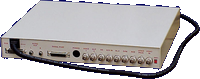
Gehäuse, Rückseite
- VideoBlender-Data.dms
Data Disk
234 kB - VideoBlender.dms
Install Disk
503 kB

Werbung (US)
1991-05
Hersteller G2 Systems, UK | Datum 1991 | Amiga jeder Amiga | Schnittstelle RGB-Port, Parallel-Port |
- Keine Beschreibung vorhanden.
Besitzt du diese Erweiterung, oder hast Informationen? Lass es uns gern wissen.
Werbung (GB)
1991-11
Werbung (DE)
1992-10
Werbung (GB)
1994-02
Hersteller G2 Systems, UK | Datum 1991 | Amiga jeder Amiga | Schnittstelle RGB-Port, Parallel-Port |
- Keine Beschreibung vorhanden.
Besitzt du diese Erweiterung, oder hast Informationen? Lass es uns gern wissen.
Werbung (GB)
1991-11
Werbung (DE)
1992-10
Werbung (GB)
1994-02
Hersteller Elsat, Polen | Datum 1997 | Amiga jeder Amiga | Schnittstelle RGB-Port |
- Genlock
- Kombination aus Genlock und Effektpult
- vollständig digitale Videosignalverarbeitung
- Eingänge:
- 2× 4-pol. Mini-DIN S-VHS, 1 Vpp, 75 Ohm
- 2× Cinch Composite-Video, 1 Vpp, 75 Ohm
- 1× 23-pol. RGB-Amiga-Signal
- 1× 9-pol. D-SUB RS-232 zur Steuerung
- Ausgangsanschlüsse:
- 1× 4-pol. Mini-DIN Y/C (S-VHS), 1 Vpp, 75 Ohm
- 1× Cinch Composite-Video, 1 Vpp, 75 Ohm
- 1× 23-pol. RGB-Monitor
- Abtastung 4:2:2 gemäß CCIR601, 768 Pixel pro Zeile
- Signalcodierung: PAL-B/G, 4,43 MHz, 50 Hz, SQP
- Gerät ist mit einer Membrantastatur ausgestattet
- drei Schiebepotentiometer zur Steuerung von Effekten, Mix und Fade
- Helligkeit, Kontrast und Farbe getrennt für Computer- und Videoeingänge einstellbar
- Abmessungen: 343×200×60 mm
- beleuchtetes LCD
- EPROM zur Speicherung der Genlock-Einstellungen
- Effekte:
- ALPHA-Kanal (transparente Grafik)
- CHROMA KEY (Blue Box) für Computer- und Videokanal
- LUMA KEY wahlweise im Computer- oder Videokanal
- ZERO DETECT (Platzierung des Videobildes anstelle der Hintergrundfarbe des Computers)
- INVERT CHROM (Farbinvertierung)
- INVERT LUM (Luminanzinvertierung)
- BLACK (sofortiges Umschalten auf Schwarz für Computer oder Video)
- PREFILTER (Filter zur Hervorhebung von Details)
- VCR (Umschaltung der TV/VCR-Zeitkonstante)
- CORRECT SWITCH (Farbkorrektur)
- OFFSET (horizontaler Versatz des Computerbildes relativ zum Video)
- Standby-Funktion, nützlich bei Multisync-Monitoren
- alle Einstellungen, Funktionen und Effekte manuell oder digital über die RS-232-Schnittstelle mittels ARexx-Befehlen programmierbar (zusätzliche Software erforderlich)
- externes Netzteil, Gerät benötigt 15-18 V, 1 A


Hersteller ECR Elettronica, Italien | Datum 1990 | Amiga jeder Amiga | Schnittstelle RGB-Port |
- Genlock
- Genlock basierend auf dem Chip Motorola 1378P
- Zielgruppe: Hobbyanwender und Videoamateure
- Eingänge: 1× Composite-Video-Eingang (Cinch), 1× 23-pol. RGB Amiga
- Ausgänge: 1× Composite-Video-Ausgang (Cinch), 1× 23-pol. RGB-Monitorausgang
- Ein-/Aus-Taste auf der Rückseite zum Aktivieren der Composite-Videoanschlüsse und der Genlock-Funktion – im ausgeschalteten Zustand wird das Amiga-Videosignal weiterhin an den Monitoranschluss weitergeleitet
- 1 Vpp Composite-Videosignal bei 75 Ohm für Eingang und Ausgang
- Bandbreite: 6 MHz +/- 3 dB
- Dreiwegeschalter an der Frontplatte zur Auswahl der Genlock-Funktion: nur Computersignal, nur Composite-Eingangsvideosignal oder beide Signale gemischt am Ausgang
- Fader-Regler an der Frontplatte zur Steuerung des Pegels des Amiga-Signals
- Stromversorgung über Amiga
- robustes Metallgehäuse, Größe: 18 × 4 × 15 cm
- Videogenlock MK2+
- die aktualisierte 'Plus'-Version wurde im Vergleich zum MK II nur geringfügig verändert
- Änderungen:
- Änderungen im Schaltkreis zum Überlagern des Computersignals auf das Videosignal
- Hinzufügen eines Filters
- Verstärkung des Video-Signals, um die Verwendung längerer Kabel zu ermöglichen
- Änderung der Funktionen des 3-Wege-Schalters: Superimpose (gesteuert durch den Fader), nur das Composite-Eingangsvideosignal und Überlagerung von Videosignal und Amiga-Grafiken
Werbung (IT)
1990-02
Werbung (IT)
1990-10

Werbung (IT)
1990-12
Hersteller ECR Elettronica, Italien | Datum 1991 | Amiga jeder Amiga | Schnittstelle RGB-Port |
- Keine Beschreibung vorhanden.
Besitzt du diese Erweiterung, oder hast Informationen? Lass es uns gern wissen.
Werbung (IT)
1991-09
Hersteller VidTech, USA | Datum 1990 | Amiga jeder Amiga | Schnittstelle RGB-Port |
- verbessert die Qualität von Videosignalen für Kopie oder weitere Bearbeitung und kann diverse Effekte auf das Videosignal anwenden
- besteht aus einer Zorro-Karte (nur zur Steuerung) und einer externen Box (B×H: 19"×8.75", 12 kg)
- alle Effekte werden über die Hardware realisiert, die Amiga-Software dient nur der Steuerung
- Software benötigt 1 MB ChipRAM
- Framebuffer mit max. 256.000 Farben
- unterstützt die volle PAL-Auflsöung von 864×625
- viele Optionen
- Anschlüsse (alle BNC ausser 'Data Input'):
- Video-I/O: 2× Y/C (einer optional), 2× Colour Composite (einer optional), 1× RGB
- RGB-Sync-Ausgang
- Data Input: 25-pol. Sub-D
- Effekte: ColorBox Fade & Switch, Freeze, Zoom, Master Video Fade In/Out, Noise-Reduction
- ermöglicht die Anpassung folgender Video-Parameter: Helligkeit/Kontrast, Farblevel, Trägerfrequenz, vertikale Zeitbasis
- basiert auf dem Commodore-Design
- bietet Genlock-Ein-/Ausgang (C-Sync)
- zwei verschiedene Versionen, entweder 'normales' oder BlueBoxGenlock
- bei der Installation muss eine Leiterbahn auf der Platine (J1) durchtrennt werden
- bietet optional weitere statische Effekte: MultiPicture, Picture In Still (PIS), Still in Picture (SIP), Genlock/BlueBoxGenlock Fade & Wipe
- bietet YUV-Ausgang (BNC-Anschlüsse)
- Echtzeit-Video-Anpassung
- einfache Version
- optionales Genlock-Modul
- optionales YUV-Modul

Vorderseite
- VidtechVideoMaster_SpecSetup.pdf
Specifications / Connectivity
958 kB
Werbung (US)
1990-11
Werbung (DE)
1991-06
Werbung (DE)
1992-02
Hersteller CompuVid, USA | Datum 1994 | Amiga jeder Amiga | Schnittstelle RGB-Port |
Nur englische Beschreibung vorhanden:
- genlock
- developed by former employees of VidTech
- similar in features to VidTech Videomaster
- looping and single composite inputs (3× BNC)
- looping and single Y/C inputs (3× mini-DIN)
- composite output (1× BNC)
- Y/C output (1× mini-DIN)
- the input source has to be selected manually on the front panel
- transcoding between composite and Y/C
- intergrated blackburst generator permits recording without incoming video signal
- dissolve to any Amiga graphics / input video combination, or fade to black
- special effects generator produces horizontal, vertical and circle wipes, either automatically timed or manually controlled
- key input/output for video mixers or chroma key (1× BNC)
- separate NTSC and PAL versions
- bypass switch
- optional external power supply (required for A500) - power source can be selected on the front panel

Werbung (US)
1994-03
Hersteller Electronic Design / Hama, Deutschland | Datum 1991 | Amiga jeder Amiga | Schnittstelle RGB-Port |
Nur englische Beschreibung vorhanden:
- genlock
- composite and Y/C inputs and outputs
- automatic input recognition with priority for the Y/C signal
- color, contrast and luminance knobs for the source video signal
- fading and superimposing
- inverter switch: when off, video is projected onto the computer image where color 0 is - when set, video is shown at positions other than color 0
- built in blackburst generator - when no video source is connected, the genlock still can be used to record the computer image
- built in manual RGB splitter for monochrome digitisers

Vorderseite
Werbung (DE)
1991-05
Werbung (DE)
1991-06
Werbung (DE)
1991-12
Werbung (DE)
1992-08
Werbung (DE)
1993-07
Werbung (AU)
1993-08
Werbung (AU)
1994-02