 Amiga Hardware Database
Search Result
23 expansions found
Manufacturer Spirit Technology, USA | Date 1990 | Amiga A500, A1000 | Interface side expansion port | Autoconfig ID 2034 / 5 |
- 6× empty ISA slots
- 1× empty Zorro II slot for the OctaByte 8 MB memory card
- contains an AX-S 2000 bridgeboard (AX-S Interpreter)
- allows using of inexpensive 8 and 16 bit ISA cards with the Amiga
- supplied with basic drivers for hard drive controller and A/D converter cards
- the user has to write his own drivers for his other ISA cards with the help of the included AX-S Resource Library and sample driver source code
- 3× 5.25" drive bays
- 200W power supply
Advert (US)
1989-12
Advert (US)
1990-03
Advert (US)
1990-03
Manufacturer California Access, USA | Date 1990 | Amiga A500 | Interface side expansion port |
- expansion chassis
- a large metal box with plastic faceplate, sitting behind and overhanging the A500 - overall it's a bit larger than an A2000
- only the A500's keyboard and floppy are exposed
- connects to the side expansion port - no passthrough connector
- four Zorro II slots
- three ISA slots inline with the top three Zorro slots
- cards are mounted horizontally
- the Zorro expansion bus is buffered, closely emulating the A2000 bus design
- two 5.25" front drive bays
- one 3.5" internal drive bay
- optional mounting kit for installing a California Access CA-880 external floppy drive internally - the drive is connected to the A500's DB23 external floppy connector
- 200 watt internal power supply with monitor power connector
- power and hard disk activity LEDs
- does not give full A2000 capabilities to the A500 - it lacks CPU and video slots
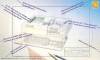
Advert (US)
1990-12
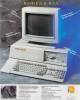
Advert (US)
1990-12
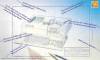
Advert (US)
1991-01
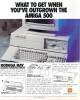
Advert (US)
1991-03
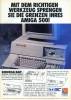
Advert (DE)
1991-07
Manufacturer MicroniK, Germany | Date 1993 | Amiga A500 | Interface side expansion port |
- Zorro II busboard
- expands the A500 with three Zorro II slots
- the Zorro cards are mounted vertically
- passthrough connector - its usability is limited because of the missing Buster Chip
- optional external power supply - the power source can be selected by jumpers
- disable switch
- power LED
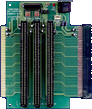
front side
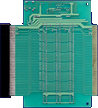
back side
Manufacturer Bill's Boards, USA | Date 1988 | Amiga A1000, A500 | Interface side expansion port |
- expansion chassis
- a set of three boards:
- driver board - connects to the side expansion port and drives a high quality / low loss cable which feeds the motherboard
- motherboard - holds the expansion slots
- bus termination board
- six Zorro II slots
- six or seven ISA (four or five AT, two XT) slots which are inline with three Zorro slots
- the arrangement of the slots is similar to the A2000 motherboard
- the Zorro slots do not fully support the three additional interrupt lines of the Zorro II specification (compared to Zorro I)
- the motherboard is sized and drilled to fit in a baby IBM AT case (which is not supplied)
- a power supply is required but not supplied
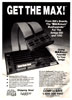
Advert (US)
1989-01
Manufacturer Pacific Peripherals, USA | Date 1987 | Amiga A1000 | Interface side expansion port |
- No description available.
Do you own this expansion, or have information about it? Please let us know.
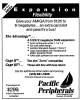
Advert (US)
1987-04
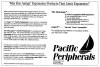
Advert (US)
1987-07
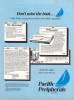
Advert (US)
1987-11
Manufacturer Elbox, Poland | Date 1999 | Amiga A1200 | Interface trapdoor slot | Autoconfig ID 2206 / 26 |
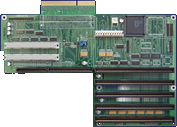
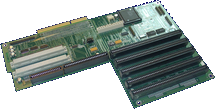
- Zorro busboard
- 5× Zorro II slots
- 2× Zorro IV slots (custom designed 32 bit bus with autoconfig, but without DMA support)
- 1× extended video slot - can be activated with the optional Video Slot Enabler module
- 4× A1200 style clock ports
- expandable with 4× PCI slots using the Mediator PCI Z-IV board
- the board's Zorro II implementation is considered the most compatible amongst the various Zorro II busboards
- the first two Zorro II slots support double speed transfers - turning on this option requires specifically designed cards
- connects to the trapdoor slot - the connector is passed through for accelerator cards
- the board is part of Elbox E/BOX 1200 Tower or Power Computing's Power Tower system
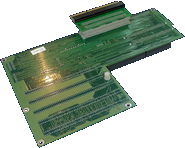
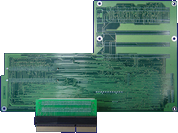
Manufacturer Phoenix Electronics, USA | Date 1989 | Amiga A1000, A500 | Interface side expansion port |
- Zorro II expansion chassis
- two Zorro II slots
- connects to the side expansion port, has passthrough connector
- unbuffered design, supports only one DMA device
- lack of buffering means that configuring information must pass from one card to the next:
- a jumper allows use of the second slot if the first is unoccupied
- another jumper lets using peripherals connected to the passthrough connector in case both slots are empty
- optional internal power supply with power connector for a hard disk drive
- does not supply -12V to the Zorro slots
- no power switch
- variations
- Expansion Technologies has sold it under the name ToolBox, but only Phoenix has manufacured it
- the only difference is the logo on the chassis
no PSU 1 Amp PSU 3 Amp PSU A1000 EEC-2100
PEC-2100EEC-2110
PEC-2110EEC-2120
PEC-2120A500 EEC-2500
PEC-2500EEC-2510
PEC-2510EEC-2520
PEC-2520 - PEC: Phoenix Expansion Chassis
- EEC: Expansion Technologies ToolBox
- compatibility
- boards reported to be working:
- Commodore A2052
- Commodore A2058
- Commodore A2088XT
- Commodore A2090
- Commodore A2090A
- IVS TrumpCard
- MicroBotics 8-Up
- Phoenix PEC-2000 / Expansion Technologies Flash!Card
- Xetec FastCard
- boards reported to be not working:
- ASDG Dual Serial Board
- C-Ltd Kronos
- Checkpoint Serial Solution
- GVP Impact SCSI
- Microbotics HardFrame
- Supra 2400zi
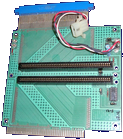
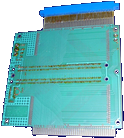
Interface PCB, front side
Interface PCB, back side
Advert (US)
1989-03
Manufacturer MicroniK, Germany | Date 1997 | Amiga A1200 | Interface trapdoor slot |
- Micronik Z-1 (6860 rev4.0)
- 5× Zorro II slots
- 4× ISA slots
- Micronik Z-2 (6860 rev4.2)
- 5× Zorro II slots
- 1× extended video slot
- 4× ISA slots
- Micronik Z-2 (6860 rev5.0)
- 5× Zorro II slots
- 1× extended video slot
- 3× ISA slots
- a 72 pin SIMM socket for up to 8 MB RAM
- notes
- the ISA and video slots are inline with Zorro slots
- the video slot can be activated with the optional Video Slot Adapter
- connects to the trapdoor slot - the connector is passed through for accelerator cards
- the boards are part of the Micronik Infinitiv tower system
- 2× 5.25" external drive bays
- 2× 3.5" external drive bays
- 2× 3.5" internal drive bays
- uprated power supply
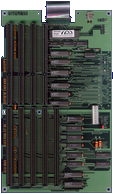
front side
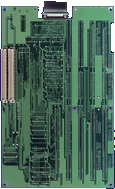
back side

A1200 Adapter, front side

A1200 Adapter, back side
Advert (DE)
1996-12
Manufacturer MicroniK, Germany | Date 1998 | Amiga A1200 | Interface trapdoor slot |
- Micronik Z-1i (6860 rev5.4)
- 5× Zorro II slots
- 1× extended video slot
- 2× PCI slots
- 2× ISA slots
- Micronik Z-2i (6860 rev5.4)
- all features of Micronik Z-1i
- two 72 pin SIMM sockets for up to 8 MB RAM
- notes
- the ISA and video slots are inline with Zorro slots
- the PCI slots cannot be accessed by the Amiga in any way
- the video slot can be activated with the optional Video Slot Adapter
- connects to the trapdoor slot - the connector is passed through for accelerator cards
- the boards are part of the Micronik Infinitiv tower system
- 2× 5.25" external drive bays
- 2× 3.5" external drive bays
- 2× 3.5" internal drive bays
- uprated power supply
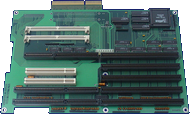
front side
- MicronikA1200_Z1i_Z2i_Z-3i_Jumpers.pdf
Jumper Settings
20 kB
Manufacturer MicroniK, Germany | Date 1997 | Amiga A500 | Interface side expansion port |
- Zorro II busboard
- 3× Zorro II slots
- 2× ISA slots
- 1× video slot
- 1× CPU slot for A2000 processor boards
- 1× A500 side expansion port
- the ISA slots are inline with a Zorro slot
- the video slot is slightly offline with its neighbour Zorro slot and the distance between them is larger than in an A3000 - cards using both a Zorro and video slot are ruled out
- connects to the side expansion port connector
- four ROM sockets for installing Kickstart 1.3, 2.0 and 3.x consequently
- the board is part of the Micronik A500 Classic tower system
- 2× 5.25" external drive bays
- 3× 3.5" external drive bays
- 2× 3.5" internal drive bays
- 200W power supply
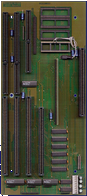
front side
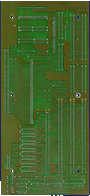
back side
Manufacturer Pre'spect Technics, Canada | Date 1991 | Amiga A500, A1000 | Interface side expansion port |
- Zorro II adapter
- transforms the A500 or A1000 side expansion connector into a Zorro II slot
- a small circuitry ensures correct timings
- the Zorro card is mounted vertically and "naked" (no case)
- attention has to be paid for the orientation of the Zorro card - wrong installation damages the card and/or the Amiga
- available with or without passthrough connector
- the usability of the passthrough is limited because of the missing Buster Chip on the A500 and A1000
- up to two NakeD-Ups can be used together
- special pin-out versions may be required for certain Zorro cards
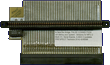
top side
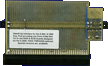
bottom side
Manufacturer RBM Computertechnik, Germany | Date 1996 | Amiga A1200 | Interface trapdoor slot |
- Zorro busboard interface
- acts as an adaptor between the A1200 motherboard and RBM Zorro busboards
- ONBoard 4000:
- connects to the ONBoard 1200 with two ribbon cables
- 7× Zorro II slots
- 5× ISA slots
- 2× extended video slots
- the video slots can be optionally activated by the VidiON module
- Eyetech single Zorro slot:
- connects directly onto the ONBoard 1200
- 1× Zorro II slot
- battery backed up clock
- connects to the trapdoor slot - the connector is passed through for accelerator cards
- the board is part of the RBM Towerhawk 1200 tower system
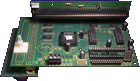
with Eyetech single Zorro adapter, front side
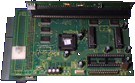
with Eyetech single Zorro adapter, front side
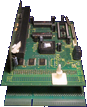
with Eyetech single Zorro adapter, front side
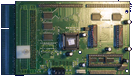
front side
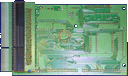
back side
Eyetech single Zorro adapter, back side
- VidiON.pdf
user manual (german)
580 kB
Advert (DE)
1995-02
Advert (DE)
1996-10
Advert (DE)
1996-11
Advert (DE)
1997-05
Manufacturer RBM Computertechnik, Germany | Date 1997 | Amiga A1200 | Interface trapdoor slot |
- Zorro busboard
- 5× Zorro II slots
- does not support DMA - many SCSI cards are ruled out
- does not comply with the Zorro II specifications:
- /XRDY (External Ready - used for adding wait states) is halfways implemented
- /OVR (/DTACK Override - used for delaying Zorro bus cycle termination) is not implemented at all
- as a side effect it is possible to achieve 2-cycle Zorro accesses - faster than other Zorro boards if the card can take advantage of it
- optional extended video slot - VidiON ex module
- a Zorro III upgrade with A4000 style CPU slot (TurboON 32) was planned but never realised
- connects to the trapdoor slot - the connector is passed through for accelerator cards
- the board is part of the RBM Towerhawk 1200 IIex tower system
- ONBoard1200ex-de.pdf
user manual (german)
412 kB - ONBoard1200ex.pdf
user manual (english)
423 kB
Advert (DE)
1997-11
Manufacturer Palomar Peripherals, USA | Date 1988 | Amiga A1000 | Interface side expansion port |
- No description available.
Do you own this expansion, or have information about it? Please let us know.
Advert (US)
1988-01
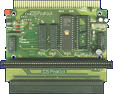
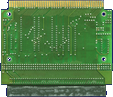
Manufacturer Intelligent Data Systems, Germany | Date 1992 | Amiga A500, A1000A2000, A3000, A4000 | - - | Interface side expansion portZorro II |
- multifunctional Zorro slot expansion
- Zorro slot converter, EPROM burner and Kickstart switcher combined into one expansion
- ProKick XL features 4 Zorro II slots (ProKick only one)
- plugs into side expansion connector
- passthrough connector
- EPROM burner
- meant for burning Kickstart EPROMs from 256 KB (Kickstart v1.x) to 512 KB (Kickstart v2.x/v3.x)
- supports 27C2001 (2 MBit) and 27C4001 (4 MBit) EPROMs
- already prepared for 8 MBit EPROMs - using them require a change of GAL and FPGA (IC1 and IC2)
- Kickstart files may not be split
- only burning possible, no erasing
- Notes
- the ProKick / ProKick XL can also be installed in an A2000, with limited use though
- Zorro cards are mounted vertically
- the Kickstart installed on the ProKick is mapped to the memory range $F80000-$FFFFFF, thus the original Kickstart ROM, or the Kickstart WOM and Bootloader ROM in case of A1000, is not accessible
- 512 kB or 1 MB of EPROM space can be installed in total
- expansion doesn't work with only one EPROM equipped, so always both sockets have to be occupied
- part of the EPROM can be used for own software, e.g. Autoboot driver, if the Kickstart doesn't occupy all of the EPROM space
- optional angled adapter:
- available as an accessory for the ProKick (not suitable for the ProKick XL)
- plugs into the Zorro slot
- allows horizontal Zorro card mounting
- offers an additional Zorro II slots (two in total)
- a design tower case was available that allowed mounting the ProKick XL and an A500 motherboard in it
front side
back side
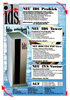
Advert (DE)
1992-12
Manufacturer Eagle Computer Products, Germany | Date 1991 | Amiga A500 | Interface special (see text) |
- Bus Board
- bus board expansion, intended to give the A500 the capabilities of an A2000
- 5× Zorro II slot
- 1× video slot
- 4× 16 Bit ISA slot
- 1× MMU slot
- Notes
- bus board plugs into side expansion port of A500 via a connector board or a flexible connector adapter
- two ISA slots are in line with a Zorro II slot
- board contains a "Buster" chip for the Zorro II bus
- 3 adapter boards which plug into Denise, Gary and Paula sockets - the chips are replaced onto the adapter PCBs
- the adapter boards are connected via ribbon cable to the bus board
- support for an AT keyboard
- provides connector for second floppy drive
- available as tower kit: Profi Tower
- power and drive LED connectors - only working with attached AT keyboard
- individual cable kits optionally available:
- cable for Flicker Fixers
- cable for Genlock
- cable kit for AT Keyboard
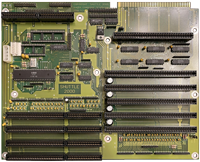
front side
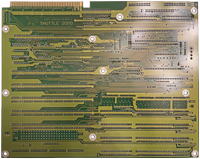
back side
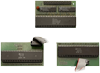
Adapter PCBs, front side
- Shuttle2000-1.pdf
Einbauanleitung / User manual (german)
3.0 MB - Shuttle2000-2.pdf
Einbauanleitung / User manual (german)
4.3 MB - Shuttle2000-3.pdf
Einbauanleitung / User manual (german)
3.5 MB
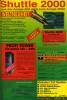
Advert (DE)
1991-12
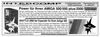
Advert (DE)
1992-09
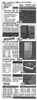
Advert (DE)
1993-02
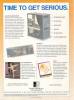
Advert (US)
1993-05

Advert (DE)
1995-11
Manufacturer Pre'spect Technics, Canada / BSC, Germany | Date 1990 | Amiga A500, A1000 | Interface side expansion port |
- Zorro II adapter
- transforms the A500 or A1000 side expansion connector into a Zorro II slot
- expansion itself and the mounted Zorro card is "naked" (no case)
- attention has to be paid for the orientation of the Zorro card - wrong installation damages the card and/or the Amiga
- Standard Version:
- no passthrough connector
- Zorro card is mounted horizontically
- Pro Version:
- passthrough connector
- Zorro card is mounted vertically
- the usability of the passthrough is limited because of the missing Buster Chip on the A500 and A1000
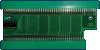
Slingshot, front side
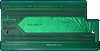
Slingshot, back side
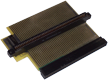
Slingshot Pro, top side

Advert (US)
1992-08
Advert (US)
1993-04
Manufacturer Pacific Peripherals, USA | Date 1987 | Amiga A1000, A500 | Interface side expansion port |
- Zorro II Expansion Chassis
- 2× (SubSystem 500) or 3× (SubSystem 1000) Zorro II slots with DMA support
- 1× 3.5" drive bay for an optional 2nd floppy drive - the cable for it is fed through an opening at the rear and connected to the disk port of the A500 / A1000
- supplied with a heavy-duty external 5V power supply that plugs into rear DIN-type power connector
- connects to the side expansion port, the expansion port is passed through
- expansion is 1.5" tall and fits under the Amiga
- the Amiga is placed onto the expansion - the manufacturer claims better keyboard usability with the raised Amiga, akin to typewriters
- supplied with optional 2 MB RAM card The Advantage
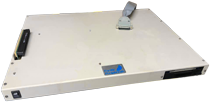
SubSystem 500, front side
Advert (US)
1987-11
Advert (US)
1988-01
Advert Subsystem 500 (US)
1988-10
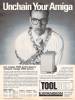
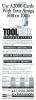
Manufacturer Expansion Technologies, USA | Date 1989 | Amiga A1000, A500 | Interface side expansion port |
- ToolBox is a name variation of the Phoenix Expansion Chassis
Interface PCB, front side
Interface PCB, back side
Advert (US)
1989-01
Advert (US)
1989-03
Advert (US)
1989-08
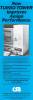
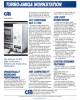
Manufacturer Computer System Associates, USA | Date 1986 | Amiga A1000 | Interface side expansion port |
- expansion chassis
- 1× CPU slot
- meant for the optional Turbo Amiga CPU processor card
- 7× Zorro II slots
- some Zorro cards are not compatible with these slots
- only five of them is autoconfig - the other two is for the 32 bit static RAM cards which connect to the Turbo Amiga CPU card through four 40 pin ribbon cables
- 4× ISA slots
- 2× 5.25" drive bays
- 200 watt internal power supply
- connects to the side expansion port - no passthrough connector
- optional SCSI controller card
- NEC 5385E SCSI controller
- Motorola MC68450 DMA controller
Advert (US)
1987-03
Advert (US)
1987-09
Manufacturer CeV Design, USA | Date 1993 | Amiga A500, A1000 | Interface side expansion port |
- Expansion Chassis
- chassis that houses a NakeD-Up Zorro adapter
- expansion available with 1, 2 or 3 Zorro slots - the latter two are realised by daisy-chained NakeD-Up adapters
- full size Zorro boards fit into the chassis, though not without modification of the card's bracket as there is no slit for it at the bottom
- up to 4 3.5" drive bays
- integrated power supply
- chassis is made of aluminium without colored coating, therefore doesn't match the Amiga 500 or 1000 well
- when used on the A1000, it obstructs the mouse and joystick ports - precut holes on the side and bottom allow feeding through and attaching the peripherals
Advert (US)
1993-01
Advert (US)
1994-12
Manufacturer CeV Design, USA | Date 1994 | Amiga any Amiga | Interface RGB port, parallel port |
- Video-Slot Expansion
- expansion attaches to RGB and parallel port of the Amiga and provides a A2000 style video slot
- video slot can be mounted in some versions of the X-Pander Chassis Zorro adapter
Advert (US)
1994-12
Manufacturer Spirit Technology, USA | Date 1990 | Amiga A500, A1000 | Interface side expansion port | Autoconfig ID 2034 / 6 |
- Memory Expansion / Expansion Chassis
- an expansion chassis containing a standard Spirit Octabyte Zorro II card
- provides up to 8 MB FastRAM
- 64 DIP sockets
- supports 2, 4, 6 or 8 MB configurations
- accepts 1M×1 DIPs, 150 ns or faster
- connects to the side expansion port
- external power supply
- Notes
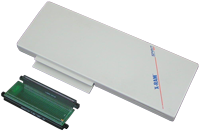
- for the A1000, a (supplied) adapter PCB is needed to fit the expansion
w A1000 Adapter, front side
- SpiritTechnology-Brochure.pdf
Spirit Technology Brochure
530 kB
- Octabyte-10.dms
Software Support Disk v1.0
28 kB
Advert (US)
1990-03
Advert (US)
1990-03
Advert (US)
1991-04