 Amiga Hardware Database
Search Result
70 expansions found
Manufacturer Michael Lamm Computersysteme, Germany | Date 1989 | Amiga any Amiga | Interface RGB port |
- No description available.
Do you own this expansion, or have information about it? Please let us know.

Advert (DE)
1989-11

Advert (DE)
1989-12
Manufacturer Michael Lamm Computersysteme, Germany | Date 1989 | Amiga any Amiga | Interface RGB port |
- No description available.
Do you own this expansion, or have information about it? Please let us know.
Advert (DE)
1989-11
Advert (DE)
1989-12
Manufacturer Michael Lamm Computersysteme, Germany | Date 1991 | Amiga any Amiga | Interface RGB port |
- No description available.
Do you own this expansion, or have information about it? Please let us know.
Advert (DE)
1991-09
Advert (DE)
1992-02
Manufacturer The Disc Company, US / Commodore, USA | Date 1990 | Amiga any Amiga | Interface RGB port |
- No description available.
Do you own this expansion, or have information about it? Please let us know.
Advert (AU)
1991-08
Advert (AU)
1991-08

Advert (US)
1991-09

Advert (AU)
1992-12
Manufacturer Mimetics, USA | Date 1988 | Amiga any Amiga | Interface RGB port |
- genlock
- a very simple genlock which synchronizes with and overlays graphic on a video signal
- it was introduced as ImaGen, but theat name was already copyrighted by a printer manufacturer company
- works only in interlaced screen modes
- composite input and output
- connects directly into the RGB port
- DB9 RGB passthrough connector
- separate NTSC and PAL versions
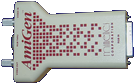
top side
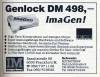
Advert (DE)
1988-03
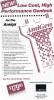
Advert (US)
1988-03
Manufacturer Elsat, Poland | Date 1996 | Amiga any Amiga | Interface RGB port |
- Video Mixer
- multi-function video mixer which offers effects, TBC and genlock functions
- fully digital video signal processing
- inputs:
- 3× 4 pin mini DIN Y/C video (S-VHS), 1 Vpp, 75 ohm
- 6× RCA composite video, 1 Vpp, 75 ohm
- 1× 9 pin RGB Amiga signal
- 1× 9 pin D-SUB RS-232 control interface
- output connectors:
- 1× 4 pin mini DIN Y/C video (S-VHS), 1 Vpp, 75 ohm
- 1× RCA composite Video, 1 Vpp, 75 ohm
- sampling 4:2:2 compliant with CCIR601, 768 pixels per line
- signal encoding: PAL-B/G, 4.43 MHz, 50 Hz, SQP
- expansion provides two video channels: channel A and channel B, with different properties
- channel A:
- only one of 4 composite or 2 Y/C video sources can be selected
- RGB input can be selected as source
- limited set of video effects
- channel B:
- any of the 6 composite or 3 Y/C video sources can be selected
- no RGB input
- full set of video effects
- expansion is equipped with a membrane keyboard
- three slide potentiometers to control effects, mix and fade
- brightness, contrast, and color can be adjusted separately for both video channels
- effects:
- CHROMA KEY (blue box) on both the computer and video channels (A+B)
- LUMA KEY on either the computer or video channel (A+B)
- BLACK - instant fade to black for computer or video (A+B)
- INVERT CHROM - negative color (A+B)
- MIX - mixing signals from channels A and B (A+B)
- WIPE - abrupt transition between channels A and B (A+B)
- PAINT - limiting the number of luminance levels (A+B)
- FADE - adjustment of the output signal level; horizontal, vertical, and corner wipes (A+B)
- PIP - picture in picture (to 1/4 or 1/9 size) (A+B)
- STILL - digital freeze frame (B only)
- STROBE - strobe effect with 15 speeds (B only)
- SEPIA - image coloring, supporting 8 colors (B only)
- BACKGROUND - background color generation, supporting 8 colors (B only)
- expansion can be used as genlock with the transition effects mentioned above
- time base correction function (improve image quality of a video source)
- limited video quality when using chroma key on composite video sources
- image disturbance when switching signal sources or changing effects, limiting the usefulness in a professional setup
- all adjustments, functions, and effects can be performed manually or digitally programmed via the RS232 interface using ARexx commands (additional software required)
- freeze frame of channel B can be transferred to Amiga (framegrabber function), this requires additional software and takes approx. 2 minutes per frame
- size: 343×200×60 mm
- illuminated LCD screen (2×16 characters)
- EPROM for retaining all settings
- external power supply, device requires 15-18V, 1A
- expansion was delivered with a demonstration VHS cassette

front side

rear side
- Arizona_VHS.zip
Kaseta Demonstracyjna / Demonstration Video Tape (polish)
152.6 MB
- Arizona-260d.dms
Install Disk
FG24 v2.60d, TeleText v1.52, ArizonaArexx v1.00
400 kB

Advert (PL)
1996-09

Advert (PL)
1997-09
Manufacturer G2 Systems, UK | Date 1991 | Amiga any Amiga | Interface RGB port, parallel port |
- genlock
- a broadcast quality genlock in a 19" rack mount enclosure
- composite, Y/C, RGB and Y/Cr/Cb modes
- the function of the video input and output connectors (Keyer 1-3, 6× BNC, 2× mini-DIN) depend on the video mode selected on the front panel:
Keyer 1 Keyer 2 Keyer 3 CVBS/YC mode CVBS Y C RGB mode G R B Y/Cr/Cb mode Y Cr Cb - composite, Y/C and RGBS outputs of the Amiga signal (5× BNC, 1× mini-DIN) - all are constantly available regardless of the selected video mode
- the Y/C keyer BNC terminals are parallel with the 4 pin mini-DIN Y/C multipoles - both outputs should not be used simultaneously
- key output (a standard non-composite waveform) for use with a video mixer (1× BNC)
- reference input with loop connector (2× BNC)
- must be provided with a stable accurate reference - direct videotape signals are not suitable
- cross fade with external background signal
- crossfade, key and fade to black via sliders on a separate remote control
- background mode: colour zero is set to the overlay colour, video is seen through
- foreground mode: the colour to be made transparent is controlled by a rotary switch
- adjustable key colour, subcarrier and horizontal phase
- can be used to encode the RGB output of a genlocked Harlequin graphics card, but it is not possible to obtain a signal mixed or keyed over a background video source using the VC3 internal keyers
- software control via the parallel port
- separate PAL and NTSC models
- internal power supply
- optional RGB-Link board
- enables an external linear RGB signal to be processed the same way as the Amiga signal
- input the RGB-Link board is via a DB25 connector which replaces the Amiga software control port - the Amiga computer control facility is lost
- switching between Amiga and external RGB is provided by the manual/computer switch on the front panel
- VC3C variant
- provides all functions of the VC3 except for the 3 channels of keying
- if fitted, the following ports are not available for use:
- keyer inputs
- Amiga control port
- remote control port
- VC3B variant
- provides RGB, Sync and key outputs only
- if fitted, the following ports are not available for use:
- keyer inputs and outputs (3 channels)
- PAL and Y/C outputs
- Amiga control port
- remote control port
- if fitted, the following front panel controls are not available for use:
- RGB/CVBS/YCrCb switch
- 2 subcarrier phase controls
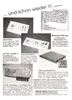
Advert (DE)
1992-10
Manufacturer Peter Biet Computerdesign, Germany | Date 1992 | Amiga any Amiga | Interface joystick port, RGB port |
- Genlock
- external genlock with digital signal processor and RGB splitter for consumers and semi-professional use, connected to the RGB and joystick port of the Amiga
- phase-locked chroma subcarrier
- integrated RGB splitter to enhance video quality and video digitizer support
- allows color correction via controls at the front panel - color, contrast and brightness
- supported effects: fading, superimposing, inverse superimposing - controllable via controls at the front panel, effects can be run automatically
- input connectors:
- 1× RCA Composite Video In
- 1× Mini DIN Y/C (S-VHS) Video In
- 1× 9 pin RGB Amiga Video Input
- 1× Joystick Input
- connection to Amiga is done via shielded RGB cable with a metal box containing an oscillator board
- output connectors:
- 1× RCA Composite Video Out
- 1× Mini DIN Y/C (S-VHS) Video Out
- 1× 9 pin RGB Bypass to attach a monitor
- 1× RCA Composite Digitizer Video Out (RGB splitter output)
- outputs are buffered and can be used simultaneously
- digitizer output allows connecting a slow scan video digitizer that digitizes in 3 passes (red, green and blue) - 3 LEDs display the current channel, the channel switching is done automatically by the software via joystick port
- switch to disable interlace mode - the image is shown flicker-free with reduced resolution
- 'Professional' version provides an additional RGB Bypass output for a monitor, a special synchronization circuit on the oscillator board for increased image stability, and two automatic wipe effects
- measured composite video bandwidth is 2.5 MHz, measured Y/C bandwidth 4 MHz
- for the 'Professional' version, the bandwidth is increased to 3.5 MHz (composite) resp. 4.5 MHz (Y/C)
- limitations in video performance: black level does not reach 0.3V, blue and yellow levels are too high
- metal enclosure
- integrated 220V power supply
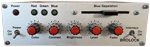
front side
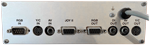
back side
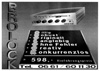
Advert (DE)
1992-01

Advert (DE)
1992-12
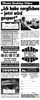
Advert (DE)
1993-02

Advert (DE)
1993-05

Advert (DE)
1994-02
Manufacturer Lola Electronics, UK | Amiga any Amiga | Interface RGB port |
- No description available.
Do you own this expansion, or have information about it? Please let us know.
Advert (GB)
1994-01
Manufacturer MicroSearch, USA | Date 1991 | Amiga any Amiga | Interface RGB port |
- combines live video over Amiga graphics
- composite input and output (2× BNC)
- connects to the RGB port between the Amiga and the genlock
- disable switch (Genlock / Chroma) - in Genlock position the video signal is passed through unaffected
- the Normal / Invert switch selects between blue background or subject-area dropout
- the keyed chroma level is adjustable by the slider
- external power supply
Advert (US)
1991-04
Manufacturer MicroSearch, USA | Date 1992 | Amiga any Amiga | Interface RGB port |
- combines live video over other video sources
- composite input and output (2× BNC)
- Y/C input - selectable by a jumper inside the ChromaKey's box
- connects to the RGB port between the Amiga and the genlock or directly to a Video Toaster
- disable switch (Genlock / Chroma) - in Genlock position the video signal is passed through unaffected
- the Normal / Invert switch selects between blue background or subject-area dropout
- the keyed chroma level is adjustable by the slider
- gives Video Toaster users the choice between luma and chroma keying and is controlled completely from the Switcher
- procedure of operating with the Toaster:
- ChromaKey's video output goes into Toaster's Input 1 through a time base corrector
- the background video to be keyed over is connected to Input 2
- ChromaKey's key output is connected to either Input 3 or 4
- the switches and the slider is bypassed, the key effect is controlled by the Switcher
- in the Switcher set the Program Bus to Video 1, the Preview Bus to Video 2, and the Overlay Bus to Input 3 or 4 (where ChromaKey's key out is connected)
- select the Art Card effect and set the luminance key to white
- use the T-Bar to reveal the video background
- external power supply
- jumper settings
| J1 ON OFF | J2 OFF ON | - key color - red (R-Y) - blue (B-Y) |
| J3 1-2 2-3 | - key selection - chrominance part of Y/C - derived from composite |
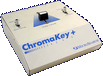
Case, front side
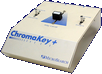
Case, left side
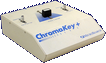
Case, right side
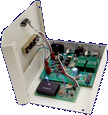
Case opened, front side

Case opened, top side

Advert (US)
1993-02
Manufacturer JCL Business Systems, UK | Date 1992 | Amiga any Amiga | Interface parallel port |
- Real-time Framegrabber
- larger version of the ColourPic with additional memory, interfaces and software capabilities
- digitises video inputs in 64000 colors in 1/50th second per frame resp. 1/25th second for interlace modes (realtime)
- supports lo-res, interlace and hi-res resolutions
- comes standard with 512kB internal framebuffer
- internal memory can be extended up to 1 MB of CMOS SRAM memory (32k×8, ≤120ns) to support hires interlace overscan images and longer animations
- outputs files in HAM, EHB, 4 - 32 color or monochrome (16 grayscales)
- PAL and NTSC versions available
- framestore can be used to display images in 64k colors on external monitors or video equipment by uploading them to the ColourPic Plus (e.g. 24 bit images)
- brightness, contrast, saturation and NTSC hue controls - the latter doesn't work in PAL models
- video input connectors, selected by rotary knob at the rear
- 1× composite (BNC) video input
- 1× Y/C input connector (4 pin mini-DIN)
- 1× Amiga RGB
- output connectors:
- RGB monitor pass-through and composite video output
- 1× RCA connector for UHF TV output
- RGB output is used for monitor pass-through, UHF and Composite for TV output of captured frames
- connects via parallel port to the Amiga
- internal power supply
- delivered with standard ColourPic software and with Cabaret Plus software, which provides the following functions:
- 24 bit capable, support hi-res and interlace modes
- overscan support
- software control of image parameters (e.g. brightness, color and color balance)
- image flip
- image filters
- extra image filters like Uniform, Kuwahara, Posterize, Median and Gamma
- emboss, dropshadow and combine features
- blending, masking
- Sculpt interface
- plotter support
Advert (GB)
1992-06
Advert (GB)
1992-11
Manufacturer Peter Biet Computerdesign, Germany | Date 1991 | Amiga any Amiga | Interface RGB port |
- genlock
- composite input and output (2× RCA)
- Y/C input and output (2× mini-DIN)
- transcoding between composite and Y/C
- the input source has to be selected manually by a switch
- colour adjustment knob for the incoming video signal
- brightness, contrast, red, green and blue adjustment knobs for the combined video signal
- keyed mode - colour zero is transparent, all others float above the live video backdrop
- inverse keyed mode - colour zero is solid, all other colours produce holes
- two sliders for independent fading of computer and video image, and for wipe effects
- vertical, horizontal and diagonal wipes
- timer knob for setting the duration of automatic effects - can be adjusted during effects for dynamic results
- colour bar generator
- blackburst generator for recording Amiga graphics without incoming video signal
- built in automatic color splitter for Deluxe View and DigiView Gold
- both can be installed internally or externally, to the internal or external DB25 parallel port
- the Digi-Gen has to be connected to the Amiga's parallel and joystick ports
- when the the digitizer is installed internally, the external DB25 port acts as a parallel passthrough port - the DI/PR switch selects between the digitizer and passthrough
- when installed outside, the digitizer is fed with composite video signal through the DI output connector (RCA)
- internal power supply
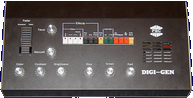
top side
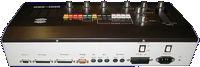
rear side
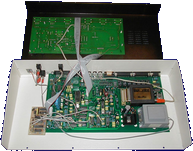
Case opened, top side
- DigiGen.pdf
Handbuch
246 kB
- DigiGen-1.dms
tool disk 1
302 kB - DigiGen-2.dms
tool disk 2
350 kB

Advert (DE)
1990-08

Advert (DE)
1990-12
Advert (DE)
1991-10

Advert (DE)
1992-01
Advert (DE)
1992-03
Advert (DE)
1992-12
Manufacturer Peter Biet Computerdesign, Germany | Date 1993 | Amiga any Amiga | Interface RGB port |
- genlock
- composite input, output and bypass (3× RCA)
- Y/C input, output and bypass (3× mini-DIN)
- two RGB inputs (for connecting two Amigas), one output and one bypass (4× DB9)
- transcoding between composite and Y/C
- the video and RGB sources have to be selected manually by switches
- brightness, contrast, colour, red, green and blue adjustment knobs
- keying, luma keyingt and inverse keying
- five sliders - level, fader, wipe, wipe with sound, luma key
- vertical, horizontal and diagonal wipes
- timer knob for setting the duration of automatic effects - can be adjusted during effects for dynamic results
- test pattern generator
- blackburst generator for recording Amiga graphics without incoming video signal
- built in automatic color splitter for Deluxe View and DigiView Gold digitizers
- the Digi-Gen II has to be connected to the Amiga's joystick ports
- the digitizer is fed with composite video signal through the DI output connector (RCA)
- PAL only
- internal power supply
- audio mixer
- two stereo inputs (4× RCA)
- microphone input
- stereo output (2× RCA)
- four level adjustment sliders for the three input channels and for the output
- DigiGen-1.dms
tool disk 1
302 kB - DigiGen-2.dms
tool disk 2
350 kB
Advert (DE)
1993-05
Advert (DE)
1994-02
Manufacturer Videocomp, Germany | Date 1991 / 1992 | Amiga any Amiga | Interface RGB port |
- Genlock
- DVE = Digital Video Effect
- genlock, digitizer and multi effect processor
- DVE-10P
- delivered with Scala 500 Software
- fully controllable by Scala via serial port
- supports rolling title, superimposing and other effects
- provides two video input channels, one regular channel for mixing, and one channel for picture-in-picture (PIP)
- two stereo audio channels
- adjustable brightness, contrast, color saturation, hue and RGB of the source video signal and the Amiga output
- manual input connector selection (FBAS or S-VHS), bypass and delay setting for the source video channel
- PIP video channel can only be adjusted in contrast and color saturation
- supports NTSC and PAL norms
- setup and menu operation with jog dial and two menu buttons
- PIP video channel is digitized before displaying
- position of PIP can be set with joystick
- keying options include video or Amiga source only, and various options for PIP display (foreground, background etc.)
- four wipe effect patterns (horizontal, vertical, circular, from lower right corner)
- manual fading - the faders serve to set the degree of blending (video faders) resp. the volume (audio fader)
- AUTO buttons for audio and video sources for automatic fading with adjustable time
- video inputs: 2× Composite/FBAS (BNC connector), 2× Y/C (S-VHS), Amiga RGB 15 pin
- video outputs: 2× Composite/FBAS (BNC connector), 2× Y/C (S-VHS)
- audio inputs: 4× RCA (two stereo channels)
- audio outputs: 4× RCA (two stereo channels)
- Digitizer
- built-in digitizer DigiTiger for the video channel - video adjustments can still be applied
- digitizer supports all Amiga resolutions and overscan
- monochrome images are digitized in 5s, HAM images between 30 and 50s
- parallel connector to output digitized content
- Notes
- two-line LCD for menu and parameter display
- 10 memory slots to store and recall settings
- special cable needed for connecting Amiga to the Genlock (23 pin to 15 pin), wired as follows:
- at the Amiga RGB port, pins 1, 11 and 12 are connected with 470 Ohm resistor in series to pins 2 + 13, and with 330 Ohm resistor in series to pin 23
- Pin Connections
| Amiga RGB Connector Pin |
Videocomp Input Connector Pin |
| 1 | 5 |
| 3 | 4 |
| 4 | 3 |
| 5 | 2 |
| 10 | 8 |
| 11 | 7 |
| 12 | 6 |
| 14 | 1 |
| 16 | 11 |
| 17 | 10 |
| 18 | 9 |
| 19 + 20 | 13 |
| 22 | 15 |
Advert (DE)
1991-05
Manufacturer Amitek, UK | Date 1995 | Amiga any Amiga | Interface RGB port |
- No description available.
Do you own this expansion, or have information about it? Please let us know.
Advert (GB)
1995-05
Manufacturer Videocomp, Germany | Date 1990 | Amiga any Amiga | Interface RGB port |
- Genlock
- a broadcast quality genlock in a 19" rack mount enclosure (2U)
- four different model revisions available, G-100 through G-100 IV
- video input: Amiga RGB, 15 pin DSUB
- video output: YUV, Y/C (S-VHS), Composite (FBAS), RGB
- additional inputs/outputs: Downstream Key (DSK) Out, Black Burst (BB) In, Alpha Out (only on models G100 III and IV)
- monitor output for Amiga RGB signal
- does not overlay Amiga signal to a video signal - an additional (external) video mixer is needed for that task
- video settings via 7 potentiometers at front panel: Luminance, Chroma, RGB, Subcarrier Phase, Horizontal Delay
- DIP switches at the rear panel:
- 2× Subcarrier coarse setting
- 1× DSK output level 0.7Vpp or 1.0Vpp
- 1× DSK positive or negative keying
- 4× delay timing 280ns, 140ns, 70ns, 35ns or combinations (depending on cable)
- internal power supply
- special cable needed for connecting Amiga to the Genlock (23 pin to 15 pin), wired as follows:
- at the Amiga RGB port, pins 1, 11 and 12 are connected with 470 Ohm resistor in series to pins 2 + 13, and with 330 Ohm resistor in series to pin 23
- Pin Connections
| Amiga RGB Connector Pin |
Videocomp Input Connector Pin |
| 1 | 5 |
| 3 | 4 |
| 4 | 3 |
| 5 | 2 |
| 10 | 8 |
| 11 | 7 |
| 12 | 6 |
| 14 | 1 |
| 16 | 11 |
| 17 | 10 |
| 18 | 9 |
| 19 + 20 | 13 |
| 22 | 15 |
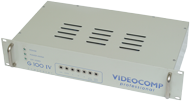
G-100 IV, front side
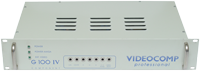
G-100 IV, front side
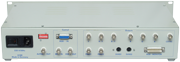
G-100 IV, rear side
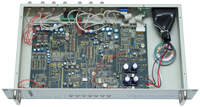
G-100 IV, front side
Manufacturer Great Valley Products, USA | Date 1992 | Amiga any Amiga | Interface RGB port |
- genlock and sound mixer
- switchable dual composite input - software switching between two separate composite input sources for fast cuts between video - or a single high quality Y/C input
- Composite to Y/C transcoder provides simultaneous composite, Y/C, and RGB outputs
- the RGB output can be switched to provide YUV output for professional recording equipment
- realtime ProcAmp controls allow adjustment of hue, saturation, brightness, contrast, sharpness, filtering, gain, and more
- SECAM to PAL conversion in VCR quality
- keyer modes include Amiga only, external video only, overlay, inverse overlay, and control of Amiga ECS and AGA special effects
- audio processor allows software switching and mixing control of two separate monaural audio sources, with full control over volume, treble, and bass
- can operate as an adjustable electronic RGB color splitter for direct use with the NewTek Digi-View or other slow-scan video digitizers
- works with the Display Enhancer and FlickerFreeVideo boards for simultaneous genlocked video and deinterlaced Amiga graphics output
- complete software control with full ARexx and CLI interfaces
- AmigaDOS 1.3, 2.x, 3.x compatible
- does not require separate power supply
- inputs:
- 2× Composite, RCA jacks
- 1× Y/C, mini-DIN
- 1× Component (RGB), DB25 (from Amiga DB23)
- 2× monoaural audio, RCA jacks
- 1× control (from Amiga DB9 joystick port)
- outputs:
- 1× Composite, RCA jacks
- 1× Y/C, mini-DIN
- 1× Component (RGB or YUV), DB23
- 1× monoaural audio, RCA jacks
- video input standards (user selectable):
- NTSC-M
- PAL-B/G/I
- SECAM-L/B/G/K
- video output standards (Amiga dependent):
- NTSC-M
- PAL-B/G/I
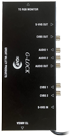
front side
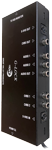
right side
- glocklc.dms
GVP-M
install disk
160 kB
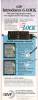
Advert (US)
1992-11
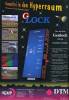
Advert (DE)
1993-02
Advert (US)
1993-03
Advert (US)
1993-03
Advert (FR)
1993-03
Advert (DE)
1993-04
Advert (FR)
1993-07
Advert (US)
1993-11
Advert (US)
1994-04
Advert (US)
1998-05
Advert (US)
1999-03
Manufacturer Communications Specialties, USA | Date 1988 | Amiga A500, A1000, A2000 | Interface RGB port |
- genlock
- composite input
- two composite (2× BNC), Y/C (2× BNC) and key (1× BNC) outputs
- sunc source can be selected between video and Amiga
- normal mode - colour zero is transparent, all others float above the live video backdrop
- reverse mode - colour zero is solid, all other colours produce holes
- no provision for fading Amiga graphics or video
- adjustable RGB levels of the incoming Amiga signal
- adjustable chrominance, luminance and composite gain of the outgoing video signal
- adjustable horizontal, vertical and subcarrier timing of the outgoing video signal
- comb filtering in the luminance channel
- requires factory modification if used with an Amiga having Fat Agnus
- external power supply

Manufacturer G2 Systems, UK | Date 1993 | Amiga any Amiga | Interface RGB port, parallel port |
- No description available.
Do you own this expansion, or have information about it? Please let us know.

Advert (GB)
1994-02
Manufacturer Hama, Germany | Date 1991 | Amiga any Amiga | Interface RGB port, joystick port |
- genlock
- composite and Y/C inputs and outputs
- automatic input recognition with priority for the Y/C signal
- adjustable chroma, contrast, luminance and white level (separate red, green, blue) of video and computer picture
- built in automatic color splitter for Deluxe View and DigiView
- independent fading of the computer and video image
- mixing (lap dissolve) and fade to black
- inversion of mix functions (keyhole effect)
- Y/C to RGB conversion even without Amiga
- copy protection decoding
- intergrated blackburst generator permits recording without incoming video signal
- automatic switching to genlock mode at the presence of a video signal
- bypass switch permits direct comparison of original and processed picture - does not affect the output video
- monitor selector switch permits display of either the mixed picture or the Amiga picture
- compatible with the A3000's display enhancer
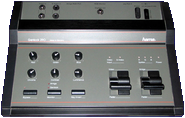
top side
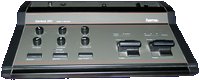
front side
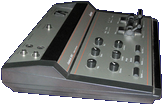
left side
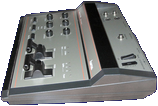
right side
Manufacturer Hama, Germany | Date 1993 | Amiga any Amiga | Interface RGB port |
- genlock
- composite and Y/C inputs and outputs (SCART connectors)
- manual input selection
- adjustable white level (separate red, green, blue) of the source video signal
- software controllable color splitter for digitisers
- compatible with the A3000's display enhancer
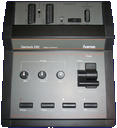
top side
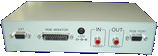
Manufacturer MicroniK, Germany | Date 1997 | Amiga any Amiga | Interface RGB port |
- genlock
- composite input and output
- color, contrast and luminance knobs for the source video signal
- separate Amiga and video fader knobs
- genlocked mode - colour zero is transparent, all others float above the live video backdrop
- inverse mode (keyhole effect) - colour zero is solid, all other colours produce holes
- DB9 connector for the SEG-200 special effects generator
- external power supply
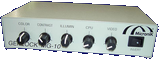
front side
rear side
Advert (DE)
1996-12
Manufacturer MicroniK, Germany | Date 1997 | Amiga any Amiga | Interface RGB port |
- genlock
- composite and Y/C inputs and outputs
- automatic input recognition with priority for the Y/C signal
- color, contrast and luminance knobs for the source video signal
- video signal enhancer
- R, G, B adjustment knobs for the Amiga signal
- separate Amiga and video fader knobs
- bypass switch: switches the display between genlock and computer picture - does not affect the video outputs
- alpha channel for transparent foregrounds
- genlocked mode - colour zero is transparent, all others float above the live video backdrop
- inverse mode (keyhole effect) - colour zero is solid, all other colours produce holes
- DB9 connector for the SEG-200 special effects generator
- external power supply
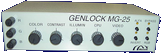
front side
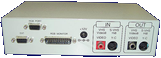
rear side
Advert (DE)
1996-12
Manufacturer New Hard & Soft, Spain | Date 1989 | Amiga any Amiga | Interface RGB port |
- Genlock
- composite input and output (2× RCA)
- 23 pin RGB input port, connects to Amiga RGB port
- no external power supply, power is provided from the RGB port
- 23 pin monitor RGB port
- two switches at the front panel select the type of mix and the transparency mode of the Amiga image
- genlock mode switch (three way):
- Computer: just the Amiga image, no mixing
- Superimpose: mix of Amiga and video
- External Video: only the video signal
- transparency mode switch:
- Normal: color 0 is transparent, all other colors are shown from Amiga graphics
- Invert: only color 0 is shown from Amiga graphics, all other colors are transparent
- power indicator LED
- the PCB is practically identical to the considerably older Marcam Rendale A8802
- white plastic case
Manufacturer New Hard & Soft, Spain | Date 1990 | Amiga any Amiga | Interface RGB port |
- Genlock
- composite input and output (2× RCA)
- connects to the Amiga RGB port
- 23 pin RGB port to attach monitor
- operation switch select between the operation modes:
- Genlocked mode - colour zero is transparent, all others float above the live video backdrop
- Amiga passthrough mode - useful for recording Amiga graphics only
- transparency mode switch:
- Normal: color 0 is transparent, all other colors are shown from Amiga graphics
- Invert: only color 0 is shown from Amiga graphics, all other colors are transparent
- fader knob at the front panel

Advert (ES)
1990-09
Manufacturer Spirit Technology, USA | Date 1990 | Amiga any Amiga | Interface RGB port |
- genlock
- looping composite input (2× BNC)
- composite outputs (2× BNC)
- RGB output (3× BNC)
- key output (1× BNC)
- NTSC and PAL versions
- overlay fader with control selector
- genlock disable switch (Amiga passthrough)
- front panel can be remoted to 25 feet
- horizontal phase adjustable to source video
- selector for A500, A1000 and A2000 compliance
- SpiritTechnology-Brochure.pdf
Spirit Technology Brochure
530 kB
Advert (US)
1989-12
Advert (US)
1990-03
Advert (US)
1990-03
Advert (US)
1990-06
Advert (US)
1990-12
Advert (US)
1991-01
Manufacturer Lola Electronics, UK | Date 1993 | Amiga any Amiga | Interface RGB port |
- Genlock
- enables to overlay graphics with a composite signal
- features the Lola 1452-01 Custom Genlock Chip
- encodes RGB to composite video
- supports only PAL standard
- push buttons allow selection of the mode: key on, key off and bypass
- mode select uses frame interval switching to allow key selection without picture disturbance
- fader to control the degree of blending
- LED indicators of the selected mode and the genlock status
- without video input, the unit automatically switches to graphics only output - the genlock can therefore be used as encoder
- 23 pin RGB output for monitor connection
- 15 pin RGB graphics input (connection to Amiga)
- 9 pin connector for Lola Chroma Key unit
- 2× RCA connector for composite input and output
- desktop metal enclosure
Advert (GB)
1993-10
Advert (GB)
1994-01
Advert (GB)
1994-07
Advert (GB)
1994-10
Manufacturer Lola Electronics, UK | Date 1995 | Amiga any Amiga | Interface RGB port |
- Genlock
- enables to overlay graphics with a composite signal
- features the Lola 1452-01 Custom Genlock Chip
- encodes RGB to composite video
- supports only PAL standard
- push buttons allow selection of the mode: key on, key off and bypass
- mode select uses frame interval switching to allow key selection without picture disturbance
- dissolve and fade (fade to black) sliders
- LED indicators of the selected mode and the genlock status
- without video input, the unit automatically switches to graphics only output - the genlock can therefore be used as encoder
- 23 pin RGB output for monitor connection
- 15 pin RGB graphics input (connection to Amiga)
- 9 pin connector for Lola Chroma Key unit
- 2× BNC connector for composite input and output
- desktop metal enclosure
Advert (GB)
1995-01
Manufacturer Lola Electronics, UK | Date 1995 | Amiga any Amiga | Interface RGB port |
- Genlock
- enables to overlay graphics with a Y/C or composite signal
- features the Lola 1452-01 Custom Genlock Chip
- supports only PAL standard
- true Y/C encoder and mixer circuits
- push buttons allow selection of the mode: key on, key off and bypass
- mode select uses frame interval switching to allow key selection without picture disturbance
- dissolve and fade (fade to black) sliders
- LED indicators of the selected mode and the genlock status
- Y/C auto sense - uses Y/C input when signal is present
- without video input, the unit automatically switches to graphics only output - the genlock can therefore be used as encoder
- 23 pin RGB output for monitor connection
- 15 pin RGB graphics input (connection to Amiga)
- 9 pin DSUB shared power input / chroma-key input connector - used to connect the Lola Chroma Key unit or the provided external power supply
- Pin assignment of the 9 pin DSUB connector:
- pin 5: +15V DC
- pin 8: GND
- pin 9: -15V DC
- 2× BNC connector for composite input and output
- 2× Mini-DIN connector for Y/C input and output
- desktop metal enclosure
Advert (GB)
1995-01
Manufacturer Lola Electronics, UK | Date 1993 | Amiga any Amiga | Interface RGB port |
- Genlock
- improved variant of the MiniGEN of Applied Systems Development
- unbranded expansion case remains unchanged
- composite input and output (2× RCA)
- connects directly to the RGB port
- no RGB passthrough connector
- mixed mode - graphics overlayed on video
- picture mode - shows external video alone
- graphics mode - displays graphics only
- does support interlaced video modes, in contrast to the original MiniGEN - upgrade available from the supplier
Advert (GB)
1993-10
Manufacturer Newtronic Technologies, Italy | Date 1992 | Amiga any Amiga | Interface RGB port |
- genlock
- composite and Y/C inputs and outputs
- the input has to be selected manually by a switch
- genlocked mode - colour zero is transparent, all others float above the live video backdrop
- inverse mode (keyhole effect) - colour zero is solid, all other colours produce holes
- Amiga passthrough mode - useful for recording Amiga graphics only
- RGB adjustment knobs for the incoming Amiga signal
- built in black burst generator for recording the computer image without receiving a video source
- metallic case
- external power supply

Advert (IT)
1992-07
Manufacturer Newtronic Technologies, Italy | Date 1994 | Amiga any Amiga | Interface RGB port |
- genlock
- composite and Y/C inputs and outputs
- the input has to be selected manually by a switch
- connecting both Y/C and composite signals simultaneously to the genlock results in garbled output
- genlocked mode - colour zero is transparent, all others float above the live video backdrop
- crossfade mode - either Amiga or video is shown solid, which can be crossfaded with the fader knob
- inverse mode (keyhole effect) - colour zero is solid, all other colours produce holes
- saturation knob for on the fly b/w to colour transitions
- adjustable RGB levels of the incoming Amiga signal
- adjustable RGB levels, horizontal and vertical sync of the outgoing video signal
- no bypass circuit - the RGB monitor passthrough can only display the same image as is being sent via the video out
- metallic case
Manufacturer Newtronic Technologies, Italy | Date 1991 | Amiga any Amiga | Interface RGB port |
- Genlock
- genlock for composite video signals
- 4.7 MHz bandwidth
- 1× composite RCA input and output
- 23 pin RGB input connector for the Amiga signal
- RGB through connector to attach a monitor
- all connectors located at the rear side
- provides a power connector, however the unit uses power from the Amiga (via RGB port)
- fader knob - the fading range is limited
- two switches select between the operation modes:
- genlocked mode - colour zero is transparent, all others float above the live video backdrop
- inverse mode (keyhole effect) - colour zero is solid, all other colours produce holes
- video passthrough mode - Amiga graphics is hidden
- Amiga passthrough mode - useful for recording Amiga graphics only
- toggling the switches may cause loss of sync or loss of colour
- unable to handle extreme overscan effectively - the left side of the Amiga screen overlaps the video image
- plastic case - negligible shielding leads to cross interference from other video equipment
- there is an improved version which supports S-VHS, the Microgen Plus
Manufacturer Newtronic Technologies, Italy | Date 1992 | Amiga any Amiga | Interface RGB port |
- Genlock
- genlock for composite and Y/C video signals
- 5.5 MHz bandwidth
- input and output: 1× each composite RCA, 1× each 4 pin mini DIN for Y/C signals
- 23 pin RGB input connector for the Amiga signal
- RGB through connector to attach a monitor
- all connectors located at the rear side
- no transcoding between the signals
- connecting both Y/C and composite signals simultaneously is not supported
- fader knob - the fading range is limited
- two switches select between the operation modes:
- genlocked mode - colour zero is transparent, all others float above the live video backdrop
- inverse mode (keyhole effect) - colour zero is solid, all other colours produce holes
- video passthrough mode - Amiga graphics is hidden
- Amiga passthrough mode - useful for recording Amiga graphics only
- toggling the switches may cause loss of sync or loss of colour
- unable to handle extreme overscan effectively - the left side of the Amiga screen overlaps the video image
- plastic case - negligible shielding leads to cross interference from other video equipment
- Gentitler titling software included
- this unit is an improved version of the original Microgen

front side
Advert (IT)
1992-07
Advert (IT)
1994-10
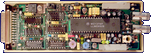
Manufacturer Applied Systems Development, UK | Date 1988 | Amiga any Amiga | Interface RGB port |
- genlock
- composite input and output (2× RCA)
- connects directly to the RGB port
- no RGB passthrough connector
- mixed mode - graphics overlayed on video
- picture mode - shows external video alone
- graphics mode - displays graphics only

Exterior, rear side

Exterior, front side
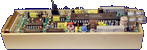
Case opened, right side
Case opened, top side

Advert (GB)
1993-03
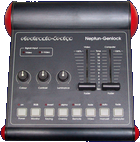
Manufacturer Electronic Design, Germany | Date 1994 | Amiga any Amiga | Interface RGB port, serial port |
- genlock
- composite and Y/C inputs and outputs
- automatic input recognition with priority for the Y/C signal
- color, contrast and luminance knobs for the source video signal
- independent fading of the computer and video image
- fade to black
- manual fading - the faders serve to set the degree of blending
- automatic fading - the faders serve to set the fading time between 0.2 - 20 seconds
- RGB monitor switch: switches the display between genlock and computer picture without affecting the video outputs
- keying active switch: allows imposing the computer picture over a static video picture - when inactive the fader can be used to dissolve between full computer and video picture
- keying invert switch: when inactive, video is projected onto the computer image where color 0 is - when active, video is shown at positions other than color 0
- alpha overlay switch: allows semi-transparent colors or anti-aliasing
- built in black burst generator for recording the computer image without receiving a video source
- VITC timecode support
- all functions can be controlled by software through the serial port
- integrated ARexx port
- standby mode - when the genlock is not needed it is possible to work on the computer without disconnecting it - all Amiga screen modes are passed through to the RGB monitor
- for operation with the A3000's video enhancer, the "A3000" jumper has to be set on the Neptun's circuit board
- takes power from the RGB port, but can use an external power supply too
top side
- Neptun.pdf
Operating Manual / Bedienungsanleitung (en/de)
16.7 MB
- Neptun.dms
install disk (genlock.library v2.2, Neptun Hotkey v2.2)
300 kB
Advert (AU)
1994-06
Advert (DE)
1995-12
Manufacturer Electronic Design, Germany | Date 1991 | Amiga any Amiga | Interface RGB port |
- genlock
- composite input and output
- color, contrast and luminance knobs for the source video signal
- fading and superimposing
- inverter switch: when off, video is projected onto the computer image where color 0 is - when set, video is shown at positions other than color 0
- built in blackburst generator - when no video source is connected, the genlock still can be used to record the computer image
- built in manual RGB splitter for monochrome digitisers
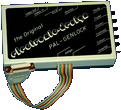
top side
Advert (DE)
1991-06
Advert (DE)
1991-08
Advert (DE)
1991-12
Advert (DE)
1992-04
Advert (DE)
1992-08
Advert (AU)
1993-08
Manufacturer Electronic Design, Germany | Date 1996 | Amiga any Amiga | Interface RGB port |
- genlock
- composite and Y/C inputs and outputs
- automatic input recognition with priority for the Y/C signal
- color, contrast and luminance knobs for the source video signal
- RGB monitor switch: switches the display between genlock and computer picture - does not affect the video outputs
- keying active switch: allows imposing the computer picture over a static video picture - when inactive the fader can be used to dissolve between full computer and video picture
- keying invert switch: when inactive, video is projected onto the computer image where color 0 is - when active, video is shown at positions other than color 0
- internal blackburst generator - when no video source is connected, the genlock still can be used to record the computer image
- standby mode - when the genlock is not needed it is possible to work on the computer without disconnecting it - all Amiga screen modes are passed through to the RGB monitor
- for operation with the A3000's video enhancer, the "A3000" jumper has to be set on the Pluto's circuit board
- takes power from the RGB port, but can use an external power supply too
Manufacturer Progressive Peripherals & Software, USA | Date 1988 | Amiga any Amiga | Interface RGB port, parallel port |
- genlock
- composite input and output (2× BNC)
- controlled by software through the parallel port
- Background mode - colour zero is transparent, all others float above the live video backdrop
- Foreground I mode - permits colours other than colour 0 to become transparent
- Foreground II mode - restores opaqueness to the colours used in Foreground I mode
- Video mode - shows external video alone
- Amiga mode - displays graphics only
Advert (US)
1988-04
Advert (US)
1988-06
Manufacturer Elsat, Poland | Date 1995 | Amiga any Amiga | Interface RGB port |
- No description available.
Do you own this expansion, or have information about it? Please let us know.
- ProGenPlus-140.lha
Tool Disk
ProGen+ v1.40 (30.07.1997)
14 kB
Advert (PL)
1996-06
Manufacturer Michael Lamm Computersysteme, Germany | Date 1987 | Amiga any Amiga | Interface RGB port |
- No description available.
Do you own this expansion, or have information about it? Please let us know.

Advert (DE)
1987-06
Manufacturer Michael Lamm Computersysteme, Germany | Date 1987,1988,1989 | Amiga any Amiga | Interface RGB port |
- No description available.
Do you own this expansion, or have information about it? Please let us know.
Advert (DE)
1988-02
Advert (DE)
1988-07

Advert (DE)
1988-09

Advert (DE)
1989-06

Advert (DE)
1989-10
Manufacturer Marcam, UK | Date 1987 | Amiga any Amiga | Interface RGB port |
- Genlock
- composite input and output (2× BNC)
- 23 pin RGB input port, connects to Amiga RGB port
- no external power supply, power is provided from the RGB port
- 23 pin monitor RGB port
- 25 pin control cable, connects to Amiga parallel port
- no switches or knobs, everything is controlled by software
- 5 genlock modes:
- Background Mode: color 0 is transparent
- Video Mode: video signal only
- Amiga Mode, computer signal only
- Foreground 1 Mode + Foreground 2 Mode: these modes allow any color whose RGB component is below the value 7 to be made transparent
- power indicator LED
- a practically identical PCB can be found in the newer NHS GLK 8474
- white metal case

Advert (GB)
1991-03
Manufacturer Roctec, Hong Kong | Date 1992 | Amiga any Amiga | Interface RGB port |
- Genlock
- composite input, output and passthrough (3× RCA)
- RGB passthrough connector
- key input for the RocKey keying device (RCA)
- separate Amiga and video dissolve knobs for varying degree of overlay or keyhole effect
- can take power from the Amiga or from an external 12V DC power supply via barrel connector (center-contact negative)
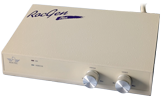
front side
Advert (DE)
1991-10

Advert (US)
1992-01
Advert (US)
1992-03
Advert (GB)
1992-05

Advert (AU)
1994-10
Manufacturer Roctec, Hong Kong | Date 1991 | Amiga any Amiga | Interface RGB port |
- genlock
- composite input and output
- no RGB passthrough connector
- dissolve knob
- operation modes:
- overlay - colour zero is transparent, all others float above the live video backdrop
- fade - Amiga graphics is faded over the video image with the dissolve knob
- Amiga - shows the computer image only
- can take power from the Amiga or from an external power supply
- PAL and NTSC versions
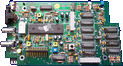
Board, front side
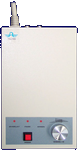
Exterior, top side

Exterior, rear side
- RocGen.dms
Demo Disk
16 kB
Advert (US)
1991-01
Advert (DE)
1991-03
Advert (GB)
1992-05
Manufacturer Roctec, Hong Kong | Date 1992 | Amiga any Amiga | Interface RGB port |
- Chroma Key Unit
- combines live video over Amiga graphics
- basically a RGB splitter, intended to be used in conjunction with a genlock - intended for RocGen Plus
- composite input, throughput and output (3× RCA)
- key input and output (2× RCA)
- splitter output (1× RCA), can be used for monochrome digitizers to grab color images in 3 passes
- connects to the RGB port between the genlock and the monitor, with the genlock plugged into the Amiga RGB port
- the "Inverse" switch selects between background or subject-area dropout
- three color faders, each with enable button and status LED
- "Splitter" enable/disable switch
- 3 effects settings via "Effects" button
- external power supply
- List of Effects
| Video Effect | Chroma | Color | Inverse | Effects |
| Chroma Keying | ON | ON | OFF | OFF |
| Luma Keying | ON | OFF | OFF | OFF |
| Key Sandwich | ON | ON | ON | OFF |
| Overlay | ON | ON | ON | Red LED |
| Graphic Sandwich | ON | ON | OFF | Red LED |
| Graphic Window | ON | ON | OFF | Orange LED |
| Key Window | ON | ON | ON | Orange LED |
| Graphics Label | ON | ON | OFF | Green LED |
| Key Through | ON | ON | ON | Green LED |
Advert (US)
1992-03
Advert (GB)
1992-05
Manufacturer VidTech, USA | Date 1990 | Amiga any Amiga | Interface RGB port |
- genlock
- looping composite input (2× BNC)
- looping Y/C input (2× mini-DIN)
- composite outputs (2× BNC)
- Y/C outputs (2× mini-DIN)
- the input source has to be selected manually on the front panel
- transcoding between composite and Y/C
- dissolve to any Amiga graphics / input video combination
- key output for video mixers (1× BNC)
- separate NTSC and PAL versions
- bypass switch
- optional external power supply (required for A500) - power source can be selected on the front panel
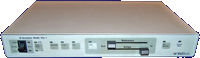
front side
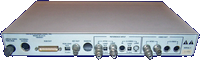
rear side
- Scanlock.pdf
Owners Manual
9.7 MB
Advert (US)
1989-04
Advert (US)
1990-07
Advert (AU)
1990-10
Manufacturer Electronic Design, Germany | Date 1991 | Amiga any Amiga | Interface RGB port, joystick port |
- Sirius is a name variation of the Hama Genlock 290
- the only difference is the blue casing
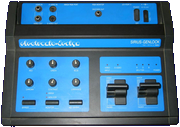
top side
Advert (DE)
1991-11
Advert (DE)
1991-12
Advert (DE)
1992-08
Advert (DE)
1993-07
Advert (AU)
1993-08
Advert (AU)
1993-10
Advert (AU)
1994-02
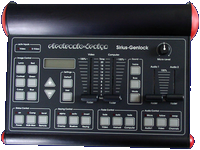
Manufacturer Electronic Design, Germany | Date 1995 | Amiga any Amiga | Interface RGB port, serial port |
- genlock
- composite and Y/C inputs and outputs
- automatic input recognition with priority for the Y/C signal
- adjustable color, contrast, luminance and white level (separate red, green, blue) of the source video signal
- adjustable black level of the computer image
- picture parameters can be stored and recalled
- independent fading of the computer and video image
- fade to black
- manual fading - the faders serve to set the degree of blending
- automatic fading - the faders serve to set the fading time between 0.2 - 20 seconds
- RGB monitor switch: switches the display between genlock and computer picture without affecting the video outputs
- bluebox keying switch: turns on Chroma and Luma keying - finds a specific color with a certain tolerance (to compensate for noise) in the video picture for keying
- keying invert switch: when inactive, video is projected onto the computer image where color 0 is - when active, video is shown at positions other than color 0
- alpha overlay switch: allows semi-transparent colors or anti-aliasing
- built in black burst generator for recording the computer image without receiving a video source
- built in test image generator for optimized adjustment of all image parameters
- sound mixer
- two stereo inputs (4× RCA)
- microphone input (1× 3.5 mm jack)
- stereo output (2× RCA)
- microphone volume adjustment knob
- faders control the volume of the two audio channels
- during automatic fading the video and audio faders can be synchronized
- adjustable treble, bass and gain for all three audio sources independently
- notes
- LCD display for picture and audio parameters and values
- VITC timecode support
- all functions can be controlled through the serial port
- integrated ARexx port
- standby mode - when the genlock is not needed it is possible to work on the computer without disconnecting it - all Amiga screen modes are passed through to the RGB monitor
- for operation with the A3000's video enhancer, the "A3000" jumper has to be set on the Sirius' circuit board
Manufacturer Digital Creations / Progressive Image Technology, USA | Date 1988 | Amiga any Amiga | Interface RGB port |
- external genlock and video encoder
- genlocks to external NTSC video
- encodes Amiga RGB into NTSC video
- overlays Amiga graphics onto external NTSC video
- selectable 3.58 MHz notch filter
- 64 levels of dissolve
- selectable internal and external blanking source
- connectors
- RGB In - receives the RGB output from the Amiga
- RGB Pass Thru (DB25 converted to DB23) - display Amiga graphics on an RGB monitor
- Key Out (BNC) - key signal for video switcher, tells when Amiga colour 0 is present or not
- Video In (BNC) - source video from VTR, sync-generator, etc.
- Video Thru (BNC) - untouched signal from Video In
- Video Out (2× BNC) - combined output of input video and the encoded Amiga graphics
- controls
- graphics dissolve slider - controls the percentage of foreground graphics against external video
- background dissolve slider - controls the percentage of background colour against external video
- interpretive dissolve switch - controls whether or not the darkness of an Amiga colour is to be interpreted as a level of dissolve
- notch filter switch - removes colour artifacts or some forms of flicker
Advert (US)
1989-01
Advert (US)
1990-02
Advert (US)
1991-07
Advert (US)
1993-04
Advert (US)
1993-09
Manufacturer Digital Creations / Progressive Image Technology, USA | Date 1994 | Amiga any Amiga | Interface RGB port |
- external genlock and video encoder
- genlocks to Y/C or Composite video
- encodes Amiga RGB into Y/C or Composite video
- overlays Amiga graphics onto external Y/C or Composite video
- transcodes between Y/C and Composite
- selectable 3.58 MHz notch filter
- computer controllable dissolve of 64 levels
- selectable internal and external blanking source
- AGA compatible
- NTSC only
- connectors
- RGB In - receives the RGB output from the Amiga
- RGB Out - display Amiga graphics on an RGB monitor
- Key Out (BNC) - key signal for video switcher, tells when Amiga colour 0 is present or not
- Composite In (BNC), S-Video In - source video from VTR, sync-generator, etc.
- Composite Out (BNC), S-Video Out - combined output of input video and the encoded Amiga graphics
- Remote controller (RJ-11)
- controls
- graphics dissolve slider - controls the percentage of foreground graphics against external video
- background dissolve slider - controls the percentage of background colour against external video
- S-Video select switch - toggles between S-Video and Composite inputs
- genlock disable switch for productivity mode use
- interpretive dissolve switch - controls whether or not the darkness of an Amiga colour is to be interpreted as a level of dissolve
- notch filter switch - removes colour artifacts or some forms of flicker
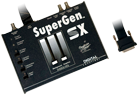
top side

back side
Advert (US)
1993-09
Advert (US)
1993-11
Advert (US)
1994-07
Advert (US)
1995-01
Manufacturer Michael Lamm Computersysteme, Germany | Date 1988 | Amiga any Amiga | Interface RGB port |
- Genlock
- a professional, studio quality genlock in a 19" 1U rack mount enclosure
- intended for 3/4" U-matic tape format (high band / low band), VHS, SuperBeta, Video 8 and others
- connectors for video input and output (2× BNC)
- RGB monitor passthrough port (1× DB23)
- connects to Amiga with a fixed RGB cable with an included external RGB board
- green 'Sync' LED indicates the presence of a video signal
- red 'Color' LED indicates the lock of the PAL modulator (presence of color signal)
- superimpose (blue box) and crossfade controls at the front panel
- invert switch for superimpose effect
- no color controls
- integrated power supply
Advert (DE)
1988-02
Advert (DE)
1988-07
Manufacturer Michael Lamm Computersysteme, Germany | Date 1988 | Amiga any Amiga | Interface RGB port |
- No description available.
Do you own this expansion, or have information about it? Please let us know.
Advert (DE)
1988-02
Advert (DE)
1988-07
Manufacturer Videocomp, Germany | Date 1988 | Amiga any Amiga | Interface RGB port |
- Genlock
- a broadcast quality genlock in a 19" rack mount enclosure (2U) with RGB processor
- integrated RGB processor and video mixer
- bandwidth ≥ 5.5 MHz
- 2× composite video inputs (BNC connector)
- 1× composite video output (BNC connector)
- 23 pin RGB connector for Amiga signal, provided via ribbon cable that is fed through the metal case and connects to the circuit board
- manual and automatic fading via front panel
- AUTO button to start fade-in and -out, with LED indicator
- fade time setting on the front panel
- front panel settings for video parameters Red, Green, Blue, Contrast and Brightness
- adjustable contour control (left and right) enables flicker-free keying
- monitor output for Amiga RGB signal
- external power supply
Advert (DE)
1989-04
Manufacturer Videocomp, Germany | Date 1989 | Amiga any Amiga | Interface RGB port |
- Genlock
- a broadcast quality genlock in a 19" rack mount enclosure (2U) with RGB processor
- bandwidth 7.5/5.5 MHz, switchable by DIP switch
- integrated video mixer
- internal clock generator
- configurable video delay, 16 steps
- control of 5 video parameters via potentiometers on front panel
- adjustable contour control enables flicker-free keying
- integrated Black Burst generator
- device is intended to be used in different ways: as studio mixer, as video editing desk or as broadcast video encoder
- inputs:
- 1× Amiga RGB, 23-pin D-SUB
- 1× Composite Video, BNC
- outputs:
- each 1× Red, Green, Blue, C-Sync, BNC
- 1× Y/C (S-VHS)
- 2× Composite synchronized, BNC
- 2× Composite from mixer, BNC
- 1× Composite video pass-through, BNC
- 1× Downstream Key (DSK), BNC
- 1×vmonitor output for Amiga RGB signal, 23-pin D-SUB
- composite video inputs/outputs are specified 1 Vpp, 75 Ohm
- DSK output is specified 0.7 Vpp, 75 Ohm
- remote control is a standard accessory, and provides manual or time-programmed fade and contour control adjustment
- internal power supply
Advert (DE)
1989-04

Advert (DE)
1989-05
Manufacturer Michael Lamm Computersysteme, Germany | Date 1988 | Amiga any Amiga | Interface RGB port |
- Genlock
- a professional, broadcast quality genlock in a 19" 1U rack mount enclosure
- intended for 1" tape format, Betacam and Umatic BVU
- improved version of the VCG Series Studio Genlock with higher bandwidth and signal-to-noise - resulting in better video quality
- fulfills 1" and EBU specifications
- video bandwidth: 6.5 MHz
- SNR: >82 dB
- VTR circuit for video stabilisation
- connectors for video input, output and preview (3× BNC)
- RGB input and monitor passthrough port (2× DB23)
- external black burst input (1× BNC)
- separate DSK output (1× BNC)
- 3 status LEDs at the front panel:
- green 'Sync' LED indicates the presence of a video signal
- red 'Color' LED indicates the lock of the PAL modulator (presence of color signal)
- yellow 'Remote' LED lights up if remote control is connected
- superimpose (blue box) and crossfade controls at the front panel
- invert switch for superimpose effect
- 12-step phase adjustment with 400-degree control range
- adjustable H/SC phase, signal delay and video / color level
- no color controls to avoid video quality degradation
- integrated power supply
- 8-pin remote control port - if unused, a blind plug has to be inserted
- only PAL is supported (no NTSC)
- as part of the VCG Series, the VCG Series Component Genlock provides S-VHS support with better video quality
- VCG Series Remote Control
- connects to the 8-pin remote control port of the genlock and provides the following functions:
- automatic fading
- automatic superimposing
- continuously adjustable crossfade speed
- manual fading / superimposing via keys
- superimpose invert key
- multi-function LED display
- VCG-Series.pdf
Bedienungshandbuch / User Manual (german)
6.4 MB
Advert (DE)
1988-09
Advert (DE)
1989-06
Advert (DE)
1989-10
Advert (DE)
1989-10
Manufacturer Michael Lamm Computersysteme, Germany | Date 1989 | Amiga any Amiga | Interface RGB port |
- Genlock
- a professional, broadcast quality genlock in a 19" 1U rack mount enclosure
- intended for Betacam-SP and S-VHS (Y/C) editing station
- improved version of the VCG Series Broadcast Genlock with higher bandwidth and signal-to-noise - resulting in better video quality
- compatible to BR-S610/810, HR-S5000, GR-S77 etc.
- video bandwidth: 6.2 MHz Standard, 8.0 MHz S-VHS
- SNR: >77 dB Standard, >86 dB S-VHS
- VTR circuit for video stabilisation
- connectors for video input, output and preview (3× BNC)
- BNC connectors for S-VHS video input and output
- RGB input and monitor passthrough port (2× DB23)
- 3 status LEDs at the front panel:
- green 'Sync' LED indicates the presence of a video signal
- red 'Color' LED indicates the lock of the PAL modulator (presence of color signal)
- yellow 'Remote' LED lights up if remote control is connected
- superimpose (blue box) and crossfade controls at the front panel
- invert switch for superimpose effect
- no color controls to avoid video quality degradation
- integrated power supply
- 8-pin remote control port - if unused, a blind plug has to be inserted
- only PAL is supported (no NTSC)
- the VCG Series Studio Genlock is part of the Genlock series for reduced studio requirements
- VCG Series Remote Control
- connects to the 8-pin remote control port of the genlock and provides the following functions:
- automatic fading
- automatic superimposing
- continuously adjustable crossfade speed
- manual fading / superimposing via keys
- superimpose invert key
- multi-function LED display
- VCG-Series.pdf
Bedienungshandbuch / User Manual (german)
6.4 MB
Advert (DE)
1989-06
Advert (DE)
1989-10
Advert (DE)
1989-10
Manufacturer Michael Lamm Computersysteme, Germany | Date 1988 | Amiga any Amiga | Interface RGB port |
- Genlock
- a professional, studio quality genlock in a 19" 1U rack mount enclosure
- intended for 3/4" U-matic tape format (high band / low band), VHS, SuperBeta, Video 8 and others
- video bandwidth: 6.2 MHz
- SNR: >77 dB
- VTR circuit for video stabilisation
- connectors for video input, output and preview (3× BNC)
- RGB input and monitor passthrough port (2× DB23)
- 3 status LEDs at the front panel:
- green 'Sync' LED indicates the presence of a video signal
- red 'Color' LED indicates the lock of the PAL modulator (presence of color signal)
- yellow 'Remote' LED lights up if remote control is connected
- superimpose (blue box) and crossfade controls at the front panel
- invert switch for superimpose effect
- no color controls to avoid video quality degradation
- integrated power supply
- 8-pin remote control port - if unused, a blind plug has to be inserted
- only PAL is supported (no NTSC)
- other genlocks of the VCG Series, VCG Series Broadcast Genlock and VCG Series Component Genlock, provide more features and better video quality
- VCG Series Remote Control
- connects to the 8-pin remote control port of the genlock and provides the following functions:
- automatic fading
- automatic superimposing
- continuously adjustable crossfade speed
- manual fading / superimposing via keys
- superimpose invert key
- multi-function LED display
- VCG-Series.pdf
Bedienungshandbuch / User Manual (german)
6.4 MB
Advert (DE)
1988-09
Advert (DE)
1989-06
Advert (DE)
1989-10
Advert (DE)
1989-10
Manufacturer Videocomp, Germany | Date 1989 | Amiga any Amiga | Interface RGB port |
- Genlock
- VES = Video Effect System
- provides multiple video functions in one package: genlock, title generator, video mixer and video digitizer
- includes the NewTek Digi-View Gold for the digitizing function, an automatic RGB splitter enhances the image quality
- brightness, contrast and color saturation controls of video input
- Amiga signal can be adjusted in brightness and contrast, no color adaptation possible
- provides different keying and effect options
- supports "hard" keying
- keying invert switch: when inactive, video is projected onto the computer image where color 0 is - when active, video is shown at positions other than color 0
- three wipe effect patterns (horizontal, vertical, circular), also in combination, controllable by WIPE slider
- effects only apply to Amiga signal
- fade-in of Amiga signal possible, controllable by MIX slider
- both WIPE and MIX effects can also be time programmed (up to 10s) and started by button press
- video inputs: 1× Composite/FBAS (BNC connector), 1× Y/C (S-VHS), Amiga RGB 15 pin
- video outputs: 2× Composite/FBAS (BNC connector), 2× Y/C (S-VHS)
- separate switch enables S-VHS in-/outputs
- 25 pin parallel port and 9 pin game port for digitizing function
- RGB monitor connector
- title generator software Videopage included
- Notes
- special cable needed for connecting Amiga to the Genlock (23 pin to 15 pin), wired as follows:
- at the Amiga RGB port, pins 1, 11 and 12 are connected with 470 Ohm resistor in series to pins 2 + 13, and with 330 Ohm resistor in series to pin 23
- Pin Connections
| Amiga RGB Connector Pin |
Videocomp Input Connector Pin |
| 1 | 5 |
| 3 | 4 |
| 4 | 3 |
| 5 | 2 |
| 10 | 8 |
| 11 | 7 |
| 12 | 6 |
| 14 | 1 |
| 16 | 11 |
| 17 | 10 |
| 18 | 9 |
| 19 + 20 | 13 |
| 22 | 15 |
Advert (DE)
1989-11
Advert (DE)
1990-07
Manufacturer Videocomp, Germany | Date 1990 | Amiga any Amiga | Interface RGB port |
- Genlock
- VES = Video Effect System
- cost reduced variant of VES One that omits the digitizing function and doesn't include the title generator software Videopage
- provides multiple video functions in one package: genlock, video mixer and RGB splitter
- brightness, contrast and color saturation controls of video input
- Amiga signal can be adjusted in brightness and contrast, no color adaptation possible
- provides different keying and effect options
- supports "hard" keying
- keying invert switch: when inactive, video is projected onto the computer image where color 0 is - when active, video is shown at positions other than color 0
- three wipe effect patterns (horizontal, vertical, circular), also in combination, controllable by WIPE slider
- effects only apply to Amiga signal
- fade-in of Amiga signal possible, controllable by MIX slider
- both WIPE and MIX effects can also be time programmed (up to 10s) and started by button press
- video inputs: 1× Composite/FBAS (BNC connector), 1× Y/C (S-VHS), Amiga RGB 15 pin
- video outputs: 2× Composite/FBAS (BNC connector), 2× Y/C (S-VHS)
- separate switch enables S-VHS in-/outputs
- 1× RCA RGB splitter output, to be used for Digi-View Gold digitizer
- 9 pin game port connector
- RGB monitor connector
- at the Amiga RGB port, pins 1, 11 and 12 are connected with 470 Ohm resistor in series to pins 2 + 13, and with 330 Ohm resistor in series to pin 23
- Pin Connections
| Amiga RGB Connector Pin |
Videocomp Input Connector Pin |
| 1 | 5 |
| 3 | 4 |
| 4 | 3 |
| 5 | 2 |
| 10 | 8 |
| 11 | 7 |
| 12 | 6 |
| 14 | 1 |
| 16 | 11 |
| 17 | 10 |
| 18 | 9 |
| 19 + 20 | 13 |
| 22 | 15 |
Advert (DE)
1990-07
Manufacturer Progressive Peripherals & Software, USA | Date 1991 | Amiga any Amiga | Interface RGB port |
- genlock, switcher
- a professional video switching system featuring luma-keying, genlocking, local 24 bit colour generation, video fading/wiping and stereo audio mixer
- four channels: composite video in with passthrough, externally synchronized RGB in, Amiga RGB in, and the internal colour generator for background color
- hue, saturation and contrast control is provided on the front panel
- connects to any Amiga (including the A1000) through the RGB port
- controlled through the serial port
- RGB out port (DB23, for Amiga graphics)
- stereo audio out (2× RCA)
- two stereo audio input channels (4× RCA)
- composite video: 1× in, 2× out, 1× passthrough (BNC)
- RGB in (3× BNC)
- does not require time-base corrected inputs
- available in PAL and NTSC
- features
- genlocking:
- overlay Amiga graphics onto any video source or onto a solid one-colour screen
- four genlock modes: foreground, inverted, mixed and encoded
- notch filter and fade capability gives a wide range of genlocking options and effects
- the Video Blender software does not need to be active during the genlocking process
- fading:
- fade between any two sources
- smooth fading from 0 to 10 seconds in increments as small as 40 ms
- supported in all genlock modes, including luma-keying
- fully programmable and sequenceable with other events
- mixing:
- mix any two video sources for ghost, double exposure or tinting effects
- mix delay can be set from 0 to 10 seconds in increments as small as 40 ms
- switching:
- switch between any two of Video Blenders four channels
- switching is instantaneous and flicker-free, and is fully programmable and sequenceable with other events
- keying:
- key between any two of Video Blenders four channels for effects such as weather map, split screen video, any size or shape picture-in-picture, invisible man
- all effects have sharp, crisp edges with notch filter option
- key on 256 shades of gray from black to white
- fully programmable and sequenceable with other events
- wiping:
- pixel level control of wiping between any two sources
- every aspect of each wipe is adjustable: size, direction, speed, repetition, delay, rows, columns and more
- with Video Scriptor (wipe sequencer and control tool) any IFF animation can be used as a wipe in addition to the algorithmic wipes
- MixMaster custom wipe-paint software for easy creation of spectacular IFF wipes
- fully programmable and sequenceable with other events
- stereo audio:
- Video Blender's two stereo input channels can be switched, mixed or faded
- fade times are adjustable from 0 to 10 seconds in increments as small as 40 ms
- the mixed audio output may be synchronized to video events
- attenuation control knobs on the front panel allow the matching of stereo input levels
- programming and sequencing:
- every setting and feature may be saved as a Video Blender event
- events may consist of a series of wipes, fades, mixes, etc.
- in addition titling sequences, external tasks and other software may be part of an event
- multiple events may be sequenced and saved in video sessions
- 24 bit colour generator for background screens and colour transitions
- black burst out, synched with composite video in
- key in for chroma-keying and other effects
- GPI trigger allows the sequencing of Video Blender with other studio equipment
- loop through for previewing composite video output without sacrificing a video channel
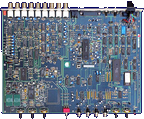
Case opened, top side
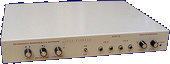
Exterior, front side
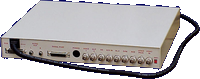
Exterior, rear side
- VideoBlender-Data.dms
Data Disk
234 kB - VideoBlender.dms
Install Disk
503 kB

Advert (US)
1991-05
Manufacturer G2 Systems, UK | Date 1991 | Amiga any Amiga | Interface RGB port, parallel port |
- No description available.
Do you own this expansion, or have information about it? Please let us know.
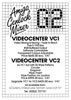
Advert (GB)
1991-11
Advert (DE)
1992-10
Advert (GB)
1994-02
Manufacturer G2 Systems, UK | Date 1991 | Amiga any Amiga | Interface RGB port, parallel port |
- No description available.
Do you own this expansion, or have information about it? Please let us know.
Advert (GB)
1991-11
Advert (DE)
1992-10
Advert (GB)
1994-02
Manufacturer Elsat, Poland | Date 1997 | Amiga any Amiga | Interface RGB port |
- Genlock
- combination of a genlock and an effects console
- fully digital video signal processing
- inputs:
- 2× 4 pin mini DIN Y/C video (S-VHS), 1 Vpp, 75 ohm
- 2× RCA composite video, 1 Vpp, 75 ohm
- 1× 23 pin RGB Amiga signal
- 1× 9 pin D-SUB RS-232 control interface
- output connectors:
- 1× 4 pin mini DIN Y/C video (S-VHS), 1 Vpp, 75 ohm
- 1× RCA composite Video, 1 Vpp, 75 ohm
- 1× 23 pin RGB monitor signal
- sampling 4:2:2 compliant with CCIR601, 768 pixels per line
- signal encoding: PAL-B/G, 4.43 MHz, 50 Hz, SQP
- expansion is equipped with a membrane keyboard
- three slide potentiometers to control effects, mix and fade
- brightness, contrast, and color can be adjusted separately for the computer and for the video inputs
- size: 343×200×60 mm
- illuminated LCD screen
- EPROM for retaining the genlock settings
- effects:
- ALPHA channel (transparent graphics)
- CHROMA KEY (blue box) on both the computer and video channels
- LUMA KEY on either the computer or video channel
- ZERO DETECT (placing the video image where the computer background color would be)
- INVERT CHROM (negative color)
- INVERT LUM (negative luminance)
- BLACK (instant fade to black for computer or video)
- PREFILTER (filter to enhance details)
- VCR (switching the TV/VCR time constant)
- CORRECT SWITCH (color correction)
- OFFSET (horizontal shift of the computer image relative to the video)
- standby function, useful with multisync monitors
- all adjustments, functions, and effects can be performed manually or digitally programmed via the RS232 interface using ARexx commands (additional software required)
- external power supply, device requires 15-18V, 1A


Manufacturer ECR Elettronica, Italy | Date 1990 | Amiga any Amiga | Interface RGB port |
- Genlock
- Genlock based on Motorola 1378P chip
- aimed at hobbyists and video amateurs
- input connectors: 1× RCA Composite Video In, 1× 23 pin RGB Amiga Video Input
- output connectors: 1× RCA Composite Video Out, 1× 23 pin RGB Monitor Output
- on/off button at the back side to enable the composite video connectors and genlock function - when off, the Amiga video signal still is passed-through to the monitor port
- 1 Vpp composite video signal on 75 ohms for both input and output
- bandwidth of 6 MHz +/- 3 db
- three-way switch at the front plate selects the Genlock function: only computer signal, only the composite input video signal, or both signals mixed together at the output
- fader knob at the front panel to control the level of Amiga signal
- power is supplied by Amiga
- sturdy metal box, size: 18 × 4 × 15 cm
- Videogenlock MK2+
- the updated 'Plus' version was only changed slightly in comparison to MK II
- changes:
- changes in the circuit for superimposing the computer signal onto the video signal
- addition of a filter
- the signal has been boosted to allow the use of longer cables
- the functions on the 3-way switch have been changed to Super Impose function (controlled by fader), only the composite input video signal, and overlay of video signal and Amiga graphics
Advert (IT)
1990-02
Advert (IT)
1990-10
Advert (IT)
1990-12
Manufacturer ECR Elettronica, Italy | Date 1991 | Amiga any Amiga | Interface RGB port |
- No description available.
Do you own this expansion, or have information about it? Please let us know.
Advert (IT)
1991-09
Manufacturer VidTech, USA | Date 1990 | Amiga any Amiga | Interface RGB port |
- genlock
- looping composite input (2× BNC)
- looping Y/C input (2× mini-DIN)
- composite outputs (2× BNC)
- Y/C outputs (2× mini-DIN)
- the input source has to be selected manually on the front panel
- transcoding between composite and Y/C
- intergrated blackburst generator permits recording without incoming video signal
- dissolve to any Amiga graphics / input video combination, or fade to black
- special effects generator produces horizontal, vertical and circle wipes, either automatically timed or manually controlled
- key output for video mixers (1× BNC)
- RGB splitter output (1× BNC) - works automatically with DigiView Gold and manually with other digitisers
- separate NTSC and PAL versions
- bypass switch
- optional external power supply (required for A500) - power source can be selected on the front panel

front side
- VidtechVideoMaster_SpecSetup.pdf
Specifications / Connectivity
958 kB
Advert (US)
1990-11
Advert (DE)
1991-06
Advert (DE)
1992-02
Manufacturer CompuVid, USA | Date 1994 | Amiga any Amiga | Interface RGB port |
- genlock
- developed by former employees of VidTech
- similar in features to VidTech Videomaster
- looping and single composite inputs (3× BNC)
- looping and single Y/C inputs (3× mini-DIN)
- composite output (1× BNC)
- Y/C output (1× mini-DIN)
- the input source has to be selected manually on the front panel
- transcoding between composite and Y/C
- intergrated blackburst generator permits recording without incoming video signal
- dissolve to any Amiga graphics / input video combination, or fade to black
- special effects generator produces horizontal, vertical and circle wipes, either automatically timed or manually controlled
- key input/output for video mixers or chroma key (1× BNC)
- separate NTSC and PAL versions
- bypass switch
- optional external power supply (required for A500) - power source can be selected on the front panel

Advert (US)
1994-03
Manufacturer Electronic Design / Hama, Germany | Date 1991 | Amiga any Amiga | Interface RGB port |
- genlock
- composite and Y/C inputs and outputs
- automatic input recognition with priority for the Y/C signal
- color, contrast and luminance knobs for the source video signal
- fading and superimposing
- inverter switch: when off, video is projected onto the computer image where color 0 is - when set, video is shown at positions other than color 0
- built in blackburst generator - when no video source is connected, the genlock still can be used to record the computer image
- built in manual RGB splitter for monochrome digitisers

front side
Advert (DE)
1991-05
Advert (DE)
1991-06
Advert (DE)
1991-12
Advert (DE)
1992-08
Advert (DE)
1993-07
Advert (AU)
1993-08
Advert (AU)
1994-02