 Amiga Hardware Database
Manufacturer “Byte by Byte”
5 expansions in database
Manufacturer Byte by Byte, USA | Date 1988 | Amiga A500 | Interface side expansion port |
- 64 DIP sockets for up to 2 MB RAM
- takes 256k×1, 150 ns DIPs in groups of 16
- supports 512 kB, 1 or 2 MB configurations
- autoconfig
- connects to the side expansion port, no passthrough connector
- external power supply
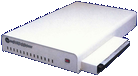
front side
Advert (US)
1987-11
Manufacturer Commodore / Byte by Byte, USA | Date 1987 | Amiga A1000 | Interface Zorro I |
- Memory Expansion
- Zorro I memory card, distributed as an option for the PAL & PAL Jr expansion boxes
- eight 30 pin SIMM sockets for up to 8 MB FastRAM
- does not conflict with the onboard 1 MB RAM of the PAL & PAL Jr
- accepts 256 kB or 1 MB SIMMs in pairs
- supported configurations are 0.5, 1, 1.5, 2, 4 or 8 MB
- autoconfiguration
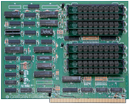
front side
Advert PAL Jr. (US)
1987-05
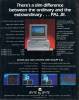
Advert PAL Jr. (US)
1987-07
Manufacturer Byte by Byte, USA | Date 1987 | Amiga A1000 | Interface Zorro I |
- SCSI and ST-506 controller
- ST-506 hard disk controller card with a SCSI option, offered as an option for the PAL & PAL Jr. expansion chassis
- card conforms to the Zorro I standard and could therefore be used in other expansion chassis if mechanically fitting
- based on a Commodore design, it is electrically identical to the Commodore A2090 controller card - except for the SCSI part, which was not completely finished at the time
- the SCSI drives are controlled by the WD 33C93 IC
- the ST-506 drives are controlled by the Zilog Z80B CPU
- the 33C93 chip can be controlled by either the 68000 (default) or by the Z80
- DMA transfers are provided by the custom Commodore (MOS) 8727 IC featuring a 64 byte FIFO buffer
- the Z80 CPU has 2 kB RAM to buffer commands from the Amiga, 8 kB PROM with driver routines and 1 kB RAM for storage of variables
- cannot autoboot
- does not support the RDB standard and the SCSI Direct protocol
- does not support partitions and drives larger than 256 MB
- the ST-506 interface does not support 16-head drives
- with SCSI option: 50 pin internal SCSI connector, DB25 external connector
- C²-ML (or C2-ML) marking on the PCB denotes the board technology (copper clad multi-layer) and is often mistakenly understood as expansion name
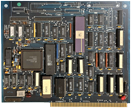
w/o SCSI option, front side
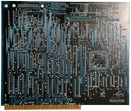
w/o SCSI option, back side
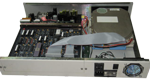
Manufacturer Byte by Byte, USA | Date 1986 & 1987 | Amiga A1000 | Interface side expansion port |
- Zorro I Expansion Chassis
- PAL:
- 5× Zorro I slots
- 3× 5.25" drive bays
- internal power supply
- PAL Jr:
- 2× Zorro I slots
- 1× 5.25" drive bay
- 90 Watt internal power supply
- 8 MB RAM card (Garganturam) and hard disk controller card offered as an option for the Zorro I slots
- the backplane, RAM and HD controller cards are based on Commodore Amiga reference designs
- the Zorro slots are buffered and support DMA cards
- 1 MB FastRAM on the backplane board - 32 256k×1 DIPs
- battery backed up clock
- connects to the A1000 side expansion port
- sits on top of the A1000
- the Amiga power cord must be plugged into the PAL / PAL Jr, so it can control the power up sequence
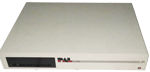
front side
back side
ST-506 card, w/o SCSI option, front side
ST-506 card, w/o SCSI option, back side
Garganturam, front side
Advert PAL (US)
1986-07
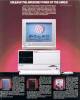
Advert PAL (US)
1986-09
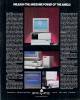
Advert (US)
1986-11
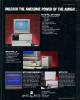
Advert (US)
1987-01
Advert PAL Jr. (US)
1987-05
Advert PAL Jr. (US)
1987-07
Manufacturer Byte by Byte, USA | Date 1987 | Amiga A1000 | Interface special (see text), joystick port |
- clock
- a simple battery backed up clock
- time is read by a CLI command during startup
- connects to the A1000's 2nd mouse port
- its case is too wide and physically conflicts with many devices connected to the side expansion connector (for example Alegra, StarBoard)
- the battery is soldered in
- no passthrough connector