 Amiga Hardware Database
Manufacturer “Logica”
4 expansions in database
Manufacturer Logica, Italy | Date 1992 | Amiga A500 | Interface trapdoor slot |
- Memory Expansion
- 512 kB RAM ('RangerRAM', slow FastRAM)
- four 256k×4 DIP chips
- connects to the trapdoor slot (internal expansion)
- no battery backed up clock
- uses the same PCB as the Logica Micro Mega RAM expansion

front side

back side
Manufacturer Logica, Italy | Date 1992 | Amiga A500+ | Interface trapdoor slot |
- Memory Expansion
- 1 MB Chip RAM
- eight 256k×4 DIP chips
- connects to the trapdoor slot (internal expansion)
- uses the same PCB as the Logica Micro Half Mega RAM expansion
Manufacturer Logica, Italy | Date 1992 | Amiga A500, A2000 | Interface Kickstart socket |
- Kickstart Switcher
- allows a simultaneous installation of two Kickstart versions
- one socket for Kickstart 1.3, two sockets for Kickstart 2.0
- connects to the Kickstart ROM socket, the original Kickstart ROM chip is placed onto the board
- a wire has to be connected to pin 8 of the odd CIA chip (CIA-A)
- selection of Kickstart possible by mouse (electronic switch) - by holding left mouse button upon start, Kickstart 2.0 is selected, otherwise Kickstart 1.3
- Jumper Settings
| Jumper | Function | Setting |
| REV | Motherboard Compatibility Jumper | 4-6 - Motherboard Rev. 4.x, 6.x or 8.x 3-5 - Motherboard Rev. 3.x or 5.x |
| J2 / J3 | Startup Configuration | J2 1-2 / J3 2-3: Kickstart 1.3 J2 2-3 / J3 1-2: Kickstart 2.0 |

front side

back side
- Mousekick.pdf
User Manual (italian)
401 kB
Manufacturer Logica, Italy | Date 1994 | Amiga A1200 | Interface trapdoor slot |
- FastRAM expansion
- two 72 pin SIMM sockets accept 8 MB RAM
- supports 1, 2, 4 or 8 MB SIMMs
- possible RAM configurations: 1, 2, 3, 4, 5, 6 and 8 MB
- optional PGA FPU, can be clocked either synchronously (14.28 MHz) or asynchronously (up to 50 MHz)
- for asynchronous clock, an external oscillator in DIP14 or DIP8 package is required (DIP8 oscillator is installed towards the FPU)
- battery backed up clock
- clock write protection
- diagnostics and upgrade ("D&U Slot") connector, to be used in factory for expansion diagnostics and software update by reprogramming
- jumper settings
| Jumper | Configuration | Setting |
| J1 | RAM disable | ON - Disable RAM, OFF - Enable RAM |
| J2..J4 | RAM configuration | see table below |
| J5 | FPU Clock | 1-2 - synchronous, 2-3 - asynchronous (oscillator installed) |
| J6 | Clock Protection | ON - Enable Write Clock, OFF - Disable |
| J2 ON ON ON ON ON OFF OFF OFF OFF OFF |
J3 ON ON ON OFF OFF ON ON OFF OFF OFF |
J4 ON OFF OFF ON OFF ON OFF ON OFF OFF |
SIMM1 1 1 2 2 2 4 4 4 4 8 |
SIMM2 - 1 - 1 2 - 1 2 4 - |
Total 1 2 2 3 4 4 5 6 8 8 |
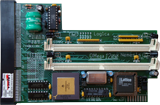
front side
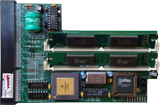
with RAM installed, front side
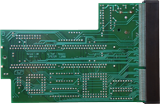
back side
- OMega1200.pdf
User Manual (italiano)
1626 kB
- OMega1200.dms
tool disk
646 kB

Advert (IT)
1994-11